vue实现下载提示
Vue 实现下载提示功能
在 Vue 中实现下载提示功能,可以通过以下几种方式实现:
方法一:使用 window.confirm
在触发下载操作前,通过 window.confirm 弹出确认对话框,用户确认后再执行下载。
methods: {
  downloadFile() {
    const isConfirmed = window.confirm('确定要下载文件吗?');
    if (isConfirmed) {
      // 执行下载逻辑
      const link = document.createElement('a');
      link.href = '文件URL';
      link.download = '文件名';
      link.click();
    }
  }
}
方法二:使用自定义模态框
通过 Vue 组件实现自定义提示模态框,提升用户体验。
<template>
  <div>
    <button @click="showDownloadModal = true">下载文件</button>
    <div v-if="showDownloadModal" class="modal">
      <div class="modal-content">
        <p>确定要下载文件吗?</p>
        <button @click="confirmDownload">确定</button>
        <button @click="showDownloadModal = false">取消</button>
      </div>
    </div>
  </div>
</template>

<script>
export default {
  data() {
    return {
      showDownloadModal: false
    };
  },
  methods: {
    confirmDownload() {
      this.showDownloadModal = false;
      // 执行下载逻辑
      const link = document.createElement('a');
      link.href = '文件URL';
      link.download = '文件名';
      link.click();
    }
  }
};
</script>

<style>
.modal {
  position: fixed;
  top: 0;
  left: 0;
  width: 100%;
  height: 100%;
  background: rgba(0, 0, 0, 0.5);
  display: flex;
  justify-content: center;
  align-items: center;
}
.modal-content {
  background: white;
  padding: 20px;
  border-radius: 5px;
}
</style>
方法三:使用第三方 UI 库
利用 Element UI、Ant Design Vue 等第三方库的对话框组件实现下载提示。
以 Element UI 为例:
<template>
  <div>
    <el-button @click="openDownloadDialog">下载文件</el-button>
  </div>
</template>

<script>
export default {
  methods: {
    openDownloadDialog() {
      this.$confirm('确定要下载文件吗?', '提示', {
        confirmButtonText: '确定',
        cancelButtonText: '取消',
        type: 'warning'
      }).then(() => {
        // 执行下载逻辑
        const link = document.createElement('a');
        link.href = '文件URL';
        link.download = '文件名';
        link.click();
      }).catch(() => {
        // 取消操作
      });
    }
  }
};
</script>
文件下载逻辑实现
无论使用哪种提示方式,文件下载的核心逻辑通常如下:
const link = document.createElement('a');
link.href = '文件URL'; // 替换为实际文件 URL
link.download = '文件名'; // 替换为实际文件名
link.click();
对于后端返回的文件流,可以使用 Blob 对象处理:
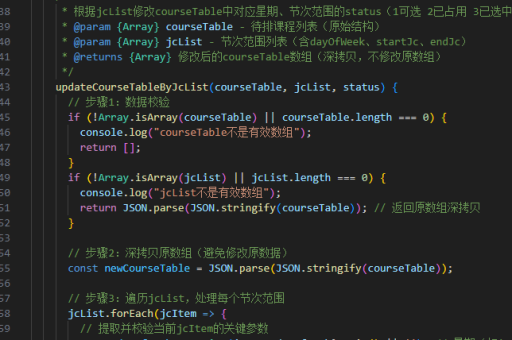
axios.get('文件下载API', { responseType: 'blob' }).then(response => {
  const url = window.URL.createObjectURL(new Blob([response.data]));
  const link = document.createElement('a');
  link.href = url;
  link.download = '文件名';
  link.click();
  window.URL.revokeObjectURL(url); // 释放内存
});
注意事项
- 确保文件 URL 可访问,跨域问题需后端配合解决
- 移动端部分浏览器可能不支持
download属性 - 大文件下载建议显示进度提示
- 错误处理需完善,如网络错误、文件不存在等情况