vue公司部门结构实现
Vue公司部门结构实现
在Vue中实现公司部门结构通常需要结合树形组件、状态管理和API交互。以下是一个完整的实现方案:
数据模型设计
部门数据通常采用嵌套结构,每个部门包含子部门列表:
{
  id: 1,
  name: "总部",
  children: [
    {
      id: 2,
      name: "技术部",
      children: [
        { id: 3, name: "前端组" },
        { id: 4, name: "后端组" }
      ]
    }
  ]
}
树形组件实现
使用递归组件渲染部门树:
<template>
  <ul>
    <li v-for="dept in departments" :key="dept.id">
      {{ dept.name }}
      <department-tree
        v-if="dept.children && dept.children.length"
        :departments="dept.children"
      />
    </li>
  </ul>
</template>

<script>
export default {
  name: 'DepartmentTree',
  props: ['departments']
}
</script>
状态管理
对于大型应用,建议使用Vuex或Pinia管理部门数据:

// Pinia示例
import { defineStore } from 'pinia'

export const useDepartmentStore = defineStore('department', {
  state: () => ({
    departments: []
  }),
  actions: {
    async fetchDepartments() {
      this.departments = await api.getDepartments()
    }
  }
})
拖拽排序功能
添加部门拖拽排序支持:
<template>
  <draggable
    v-model="departments"
    group="departments"
    @end="onDragEnd"
  >
    <!-- 原有树形结构 -->
  </draggable>
</template>

<script>
import draggable from 'vuedraggable'

export default {
  components: { draggable },
  methods: {
    onDragEnd() {
      // 调用API保存排序结果
    }
  }
}
</script>
部门CRUD操作
实现部门的增删改查功能:
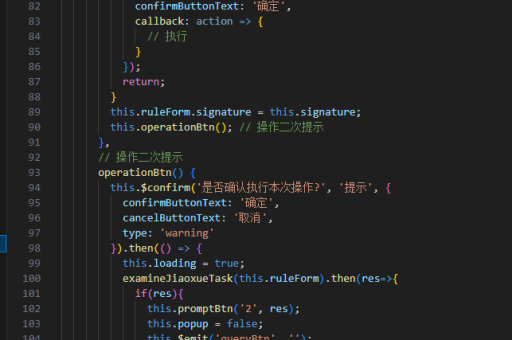
methods: {
  async addDepartment(parentId, name) {
    const newDept = await api.addDepartment({ parentId, name })
    this.updateTree(parentId, depts => [...depts, newDept])
  },

  updateTree(id, modifier) {
    // 递归查找并更新部门树
  }
}
性能优化
对于大型部门树,可采用虚拟滚动:
<template>
  <RecycleScroller
    :items="flattenedDepartments"
    :item-size="50"
    key-field="id"
  >
    <!-- 渲染平铺后的部门项 -->
  </RecycleScroller>
</template>
完整组件集成
将上述功能整合到主组件:
<template>
  <div class="org-chart">
    <department-tree
      :departments="departments"
      @select="onSelect"
    />
    <department-editor
      :current="selectedDepartment"
      @save="onSave"
    />
  </div>
</template>
实现时需注意:
- 树形数据的递归处理
- 组件间的通信机制
- 与后端API的数据同步
- 移动端适配和响应式设计
- 权限控制(如编辑权限)
可根据实际需求添加部门成员展示、多选操作、面包屑导航等扩展功能。