canvas加vue实现弹幕
使用Canvas与Vue实现弹幕功能
初始化Vue项目与Canvas
在Vue项目中创建一个Canvas组件,用于渲染弹幕。通过ref获取Canvas的DOM节点,并设置其宽度和高度为父容器大小。监听窗口变化动态调整Canvas尺寸。
<template>
  <div class="danmu-container">
    <canvas ref="canvas"></canvas>
  </div>
</template>

<script>
export default {
  mounted() {
    this.initCanvas();
    window.addEventListener('resize', this.handleResize);
  },
  beforeDestroy() {
    window.removeEventListener('resize', this.handleResize);
  }
}
</script>
弹幕数据结构设计
每条弹幕包含内容、颜色、速度、位置等属性。使用数组存储所有弹幕信息,并通过Vue的响应式机制管理数据。
data() {
  return {
    danmus: [],
    ctx: null,
    canvasWidth: 0,
    canvasHeight: 0,
    animationId: null
  }
}
弹幕渲染逻辑
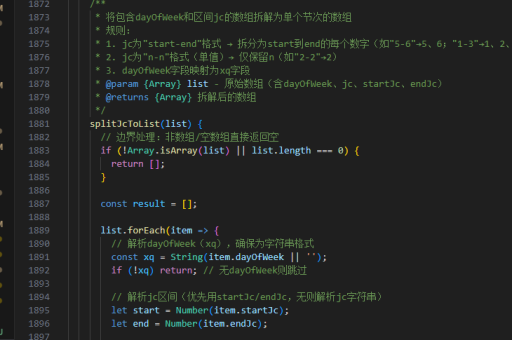
在Canvas上绘制弹幕文字,通过requestAnimationFrame实现动画循环。每条弹幕根据速度水平移动,超出画布时从右侧重新进入。
methods: {
  drawDanmu() {
    this.ctx.clearRect(0, 0, this.canvasWidth, this.canvasHeight);
    this.danmus.forEach(danmu => {
      this.ctx.fillStyle = danmu.color;
      this.ctx.font = `${danmu.size}px sans-serif`;
      danmu.x -= danmu.speed;
      if (danmu.x < -this.ctx.measureText(danmu.text).width) {
        danmu.x = this.canvasWidth;
      }
      this.ctx.fillText(danmu.text, danmu.x, danmu.y);
    });
    this.animationId = requestAnimationFrame(this.drawDanmu);
  }
}
弹幕添加与删除
提供方法添加新弹幕,随机生成颜色、速度和垂直位置。支持删除特定弹幕或清空所有弹幕。
addDanmu(text, options = {}) {
  const defaultOptions = {
    color: `#${Math.floor(Math.random()*16777215).toString(16)}`,
    speed: Math.random() * 2 + 1,
    size: 24,
    y: Math.random() * this.canvasHeight
  };
  const danmu = {
    text,
    x: this.canvasWidth,
    ...defaultOptions,
    ...options
  };
  this.danmus.push(danmu);
}
性能优化策略
使用离屏Canvas预渲染静态弹幕,减少重绘开销。对于大量弹幕,采用对象池技术复用弹幕对象。通过节流控制弹幕添加频率。

optimizePerformance() {
  const poolSize = 100;
  this.danmuPool = Array(poolSize).fill().map(() => ({
    text: '', x: 0, y: 0, speed: 0, color: '#000'
  }));
}
交互功能增强
支持暂停/继续弹幕运动,点击弹幕触发事件。添加弹幕过滤器,屏蔽特定内容或调整透明度。
togglePause() {
  if (this.animationId) {
    cancelAnimationFrame(this.animationId);
    this.animationId = null;
  } else {
    this.drawDanmu();
  }
}
响应式设计
根据设备像素比调整Canvas分辨率,避免在高DPI屏幕上模糊。监听容器尺寸变化自动重新布局弹幕。
handleResize() {
  const dpr = window.devicePixelRatio || 1;
  this.canvasWidth = this.$refs.canvas.clientWidth * dpr;
  this.canvasHeight = this.$refs.canvas.clientHeight * dpr;
  this.$refs.canvas.width = this.canvasWidth;
  this.$refs.canvas.height = this.canvasHeight;
  this.ctx.scale(dpr, dpr);
}