
vue实现物流追踪
Vue实现物流追踪功能
物流追踪功能通常需要结合后端API数据展示物流节点的动态信息。以下为Vue实现方案的核心要点:
数据准备
- 物流节点数据格式建议:
nodes: [
  { time: '2023-01-01 10:00', status: '已发货', desc: '快件已揽收' },
  { time: '2023-01-02 15:30', status: '运输中', desc: '到达广州转运中心' },
  // ...
]
时间轴组件实现
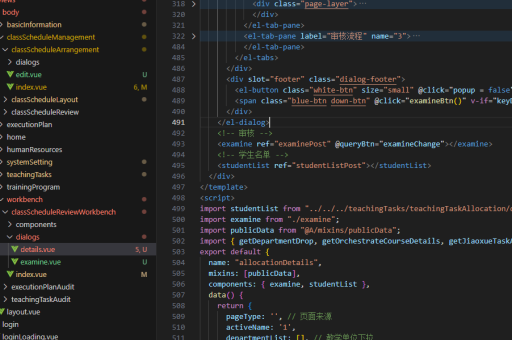
<template>
  <div class="logistics-track">
    <div v-for="(node, index) in nodes" :key="index" class="track-node">
      <div class="node-time">{{ node.time }}</div>
      <div class="node-status">{{ node.status }}</div>
      <div class="node-desc">{{ node.desc }}</div>
    </div>
  </div>
</template>
样式优化
.logistics-track {
  position: relative;
  padding-left: 20px;
}
.track-node {
  position: relative;
  padding-bottom: 20px;
  border-left: 2px solid #1890ff;
}
.track-node:last-child {
  border-left-color: transparent;
}
.track-node::before {
  content: '';
  position: absolute;
  left: -7px;
  top: 0;
  width: 12px;
  height: 12px;
  border-radius: 50%;
  background: #1890ff;
}
动态效果增强

- 添加当前节点高亮效果:
computed: {
  activeNodes() {
    return this.nodes.map((node, index) => ({
      ...node,
      isActive: index <= this.currentStep
    }))
  }
}
API集成
methods: {
  async fetchLogistics() {
    try {
      const res = await axios.get('/api/logistics', {
        params: { orderId: this.orderId }
      })
      this.nodes = res.data.nodes
    } catch (error) {
      console.error(error)
    }
  }
}
第三方组件方案
- 可使用
vant的Steps组件快速实现:<van-steps direction="vertical" :active="activeStep"> <van-step v-for="node in nodes" :key="node.time"> <h3>{{ node.status }}</h3> <p>{{ node.time }}</p> <p>{{ node.desc }}</p> </van-step> </van-steps>
注意事项
- 物流节点数据需按时间倒序排列
- 移动端需考虑响应式布局
- 长时间未更新的节点需添加异常状态提示
- 建议添加物流公司logo和联系方式
实际实现时需根据具体业务需求调整UI样式和数据交互逻辑,建议通过vuex或pinia管理物流状态数据。





