vue复杂按钮loading实现
Vue 复杂按钮 Loading 实现
使用自定义指令实现 Loading 状态
创建一个自定义指令 v-loading,用于控制按钮的加载状态。在按钮上添加该指令,并通过指令的值来控制是否显示加载状态。
Vue.directive('loading', {
  bind(el, binding) {
    const loadingText = el.getAttribute('loading-text') || 'Loading...';
    const originalText = el.textContent;

    el.addEventListener('click', () => {
      if (binding.value) {
        el.disabled = true;
        el.innerHTML = `<span class="loading-spinner"></span>${loadingText}`;
      } else {
        el.disabled = false;
        el.textContent = originalText;
      }
    });
  }
});
使用动态组件切换按钮状态
通过动态组件的方式,在按钮的加载状态和正常状态之间切换。定义一个 LoadingButton 组件,内部包含两个状态。
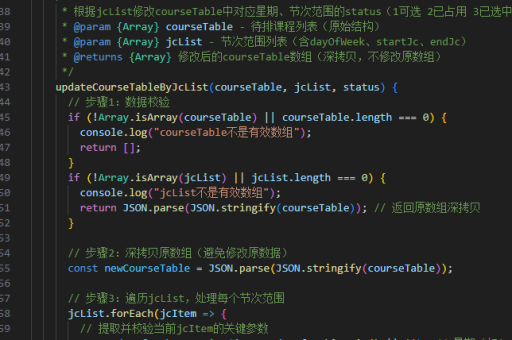
<template>
  <button @click="handleClick" :disabled="isLoading">
    <template v-if="isLoading">
      <span class="spinner"></span>
      {{ loadingText }}
    </template>
    <template v-else>
      {{ buttonText }}
    </template>
  </button>
</template>

<script>
export default {
  props: {
    buttonText: String,
    loadingText: {
      type: String,
      default: 'Loading...'
    }
  },
  data() {
    return {
      isLoading: false
    };
  },
  methods: {
    handleClick() {
      this.isLoading = true;
      this.$emit('click', () => {
        this.isLoading = false;
      });
    }
  }
};
</script>
结合 Promise 控制 Loading 状态
在按钮点击事件中返回一个 Promise,通过 Promise 的状态来控制 Loading 的显示和隐藏。

<template>
  <button @click="handleClick" :disabled="loading">
    <span v-if="loading" class="spinner"></span>
    {{ loading ? loadingText : buttonText }}
  </button>
</template>

<script>
export default {
  props: {
    buttonText: String,
    loadingText: {
      type: String,
      default: 'Loading...'
    },
    asyncAction: {
      type: Function,
      required: true
    }
  },
  data() {
    return {
      loading: false
    };
  },
  methods: {
    async handleClick() {
      this.loading = true;
      try {
        await this.asyncAction();
      } finally {
        this.loading = false;
      }
    }
  }
};
</script>
使用 CSS 动画增强视觉效果
通过 CSS 动画为加载状态添加旋转效果,提升用户体验。
.spinner {
  display: inline-block;
  width: 16px;
  height: 16px;
  border: 2px solid rgba(255, 255, 255, 0.3);
  border-radius: 50%;
  border-top-color: #fff;
  animation: spin 1s ease-in-out infinite;
}

@keyframes spin {
  to {
    transform: rotate(360deg);
  }
}
全局状态管理集成
如果需要跨组件共享按钮的 Loading 状态,可以使用 Vuex 或其他状态管理工具。
// store.js
export default new Vuex.Store({
  state: {
    isLoading: false
  },
  mutations: {
    setLoading(state, isLoading) {
      state.isLoading = isLoading;
    }
  }
});

// Component
<template>
  <button @click="handleClick" :disabled="$store.state.isLoading">
    <span v-if="$store.state.isLoading" class="spinner"></span>
    {{ $store.state.isLoading ? 'Loading...' : 'Submit' }}
  </button>
</template>

<script>
export default {
  methods: {
    handleClick() {
      this.$store.commit('setLoading', true);
      someAsyncAction().finally(() => {
        this.$store.commit('setLoading', false);
      });
    }
  }
};
</script>
以上方法可以根据实际需求选择或组合使用,以实现复杂的按钮 Loading 效果。