vue如何实现单页面
Vue 实现单页面应用的方法
Vue.js 是一个流行的前端框架,适合构建单页面应用(SPA)。以下是实现单页面应用的关键步骤和技术要点。
使用 Vue Router 管理路由
Vue Router 是 Vue.js 的官方路由管理器,用于实现单页面应用的路由跳转。安装 Vue Router 后,可以配置路由表,定义路径与组件的映射关系。
import Vue from 'vue'
import VueRouter from 'vue-router'
import Home from './views/Home.vue'
import About from './views/About.vue'

Vue.use(VueRouter)

const routes = [
  { path: '/', component: Home },
  { path: '/about', component: About }
]

const router = new VueRouter({
  routes
})

new Vue({
  router,
  render: h => h(App)
}).$mount('#app')
配置动态路由
动态路由允许根据参数动态加载不同的组件。例如,可以通过 :id 传递参数。
const routes = [
  { path: '/user/:id', component: User }
]
在组件中,可以通过 this.$route.params.id 获取参数值。
使用嵌套路由
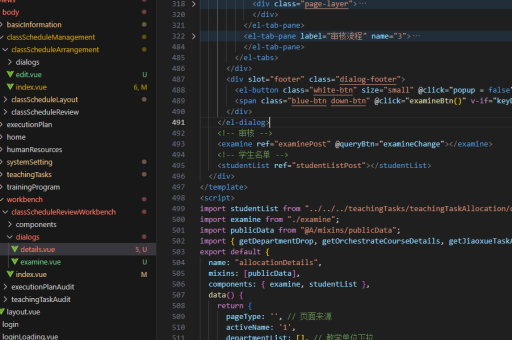
嵌套路由用于实现多层级的页面结构。例如,可以在父路由下定义子路由。
const routes = [
  {
    path: '/user',
    component: User,
    children: [
      { path: 'profile', component: Profile },
      { path: 'posts', component: Posts }
    ]
  }
]
实现路由导航
在模板中,可以使用 <router-link> 组件实现导航,<router-view> 作为路由出口显示匹配的组件。
<router-link to="/">Home</router-link>
<router-link to="/about">About</router-link>
<router-view></router-view>
处理路由守卫
路由守卫用于在导航前后执行逻辑,例如权限验证或数据加载。
router.beforeEach((to, from, next) => {
  if (to.meta.requiresAuth && !isAuthenticated) {
    next('/login')
  } else {
    next()
  }
})
使用懒加载优化性能
通过懒加载可以按需加载路由组件,减少初始加载时间。
const User = () => import('./views/User.vue')

const routes = [
  { path: '/user', component: User }
]
配置 History 模式
默认情况下,Vue Router 使用 hash 模式(URL 中的 #)。可以通过配置启用 HTML5 History 模式,去除 #。
const router = new VueRouter({
  mode: 'history',
  routes
})
使用 History 模式时,需确保服务器配置正确,避免直接访问路由时返回 404。
状态管理集成
对于复杂应用,可以将 Vuex 与 Vue Router 结合,管理全局状态。
import store from './store'

router.beforeEach((to, from, next) => {
  if (to.matched.some(record => record.meta.requiresAuth)) {
    if (!store.state.isLoggedIn) {
      next('/login')
    } else {
      next()
    }
  } else {
    next()
  }
})
通过以上方法,可以高效地实现 Vue 单页面应用,提供流畅的用户体验。