vue实现环形菜单
实现环形菜单的基本思路
环形菜单通常指围绕中心点呈圆形排列的菜单项,点击后可能有展开或选中效果。Vue实现的核心在于计算每个菜单项的位置和动态交互。
基础HTML结构
<template>
  <div class="circle-menu">
    <div class="menu-center" @click="toggleMenu"></div>
    <div
      v-for="(item, index) in menuItems"
      :key="index"
      class="menu-item"
      :style="getItemStyle(index)"
      @click="handleItemClick(item)"
    >
      {{ item.label }}
    </div>
  </div>
</template>
核心CSS样式
.circle-menu {
  position: relative;
  width: 300px;
  height: 300px;
}

.menu-center {
  position: absolute;
  width: 60px;
  height: 60px;
  background: #42b983;
  border-radius: 50%;
  top: 50%;
  left: 50%;
  transform: translate(-50%, -50%);
  cursor: pointer;
}

.menu-item {
  position: absolute;
  width: 50px;
  height: 50px;
  background: #35495e;
  color: white;
  border-radius: 50%;
  display: flex;
  align-items: center;
  justify-content: center;
  cursor: pointer;
  transition: all 0.3s ease;
}
计算菜单项位置
data() {
  return {
    isOpen: false,
    menuItems: [
      { label: 'A', action: () => console.log('A clicked') },
      { label: 'B', action: () => console.log('B clicked') },
      { label: 'C', action: () => console.log('C clicked') }
    ],
    radius: 100
  }
},
methods: {
  getItemStyle(index) {
    if (!this.isOpen) {
      return { transform: 'translate(-50%, -50%)' };
    }
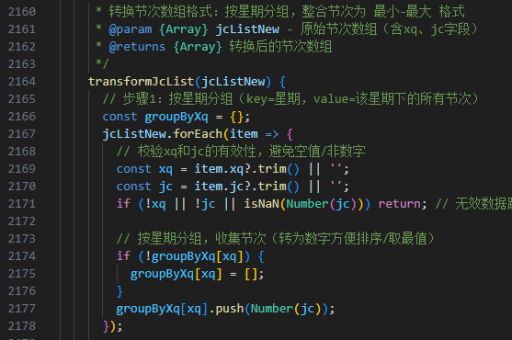
    const angle = (index * (360 / this.menuItems.length)) * Math.PI / 180;
    const x = Math.cos(angle) * this.radius;
    const y = Math.sin(angle) * this.radius;
    return {
      left: `calc(50% + ${x}px)`,
      top: `calc(50% + ${y}px)`,
      transform: 'translate(-50%, -50%)'
    };
  }
}
添加交互逻辑
methods: {
  toggleMenu() {
    this.isOpen = !this.isOpen;
  },
  handleItemClick(item) {
    item.action();
    this.toggleMenu();
  }
}
动画优化
添加CSS过渡效果使展开更平滑:
.menu-item {
  transition: all 0.5s cubic-bezier(0.175, 0.885, 0.32, 1.275);
}
响应式调整
监听窗口大小变化自动调整半径:
mounted() {
  window.addEventListener('resize', this.adjustRadius);
  this.adjustRadius();
},
methods: {
  adjustRadius() {
    this.radius = Math.min(window.innerWidth, window.innerHeight) * 0.2;
  }
}
高级功能扩展
- 添加子菜单层级
- 实现拖拽调整位置
- 添加图标代替文字
- 实现3D倾斜效果
- 添加点击波纹动画
完整实现需要根据具体需求调整参数和交互细节,上述代码提供了环形菜单的核心实现方案。