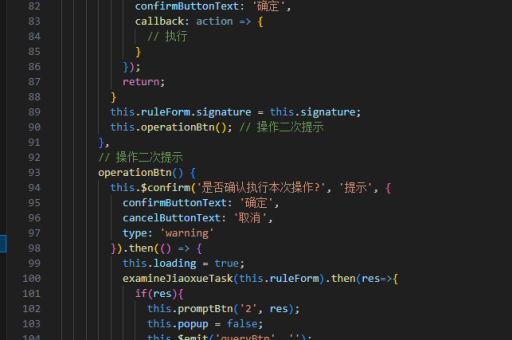
基于vue框架实现
基于 Vue 框架实现功能需结合其核心特性(如组件化、响应式数据绑定)和生态工具(如 Vue Router、Pinia)。以下是关键实现步骤和代码示例:
项目初始化与基础配置
使用 Vite 或 Vue CLI 创建项目:
npm create vue@latest my-project安装必要依赖(如路由、状态管理):
npm install vue-router pinia组件化开发
单文件组件(SFC)结构示例:
<template>
  <div>
    <h1>{{ title }}</h1>
    <button @click="increment">Count: {{ count }}</button>
  </div>
</template>

<script setup>
import { ref } from 'vue';
const count = ref(0);
const title = 'Vue Counter';

const increment = () => {
  count.value++;
};
</script>
状态管理(Pinia)
定义 store:
// stores/counter.js
import { defineStore } from 'pinia';

export const useCounterStore = defineStore('counter', {
  state: () => ({ count: 0 }),
  actions: {
    increment() {
      this.count++;
    }
  }
});
组件中使用:
<script setup>
import { useCounterStore } from '@/stores/counter';
const counter = useCounterStore();
</script>
路由配置(Vue Router)
路由定义示例:
// router/index.js
import { createRouter, createWebHistory } from 'vue-router';
import HomeView from '../views/HomeView.vue';

const routes = [
  { path: '/', name: 'home', component: HomeView },
  { path: '/about', component: () => import('../views/AboutView.vue') }
];

const router = createRouter({
  history: createWebHistory(),
  routes
});
在 main.js 中挂载:
import { createApp } from 'vue';
import App from './App.vue';
import router from './router';

const app = createApp(App);
app.use(router);
app.mount('#app');
响应式数据处理
组合式 API 示例:
<script setup>
import { reactive, computed } from 'vue';

const state = reactive({
  items: [],
  filterText: ''
});

const filteredItems = computed(() => {
  return state.items.filter(item =>
    item.name.includes(state.filterText)
  );
});
</script>
生命周期与副作用
使用 watch 和生命周期钩子:
<script setup>
import { onMounted, watch } from 'vue';

onMounted(() => {
  console.log('组件挂载完成');
});

watch(
  () => state.filterText,
  (newVal) => {
    console.log('过滤条件变化:', newVal);
  }
);
</script>
样式作用域
SFC 样式作用域实现:
<style scoped>
.button {
  background: var(--primary-color);
}
</style>
性能优化
代码分割与懒加载:
const AboutView = () => import('./views/AboutView.vue');KeepAlive 缓存:
<router-view v-slot="{ Component }">
  <keep-alive>
    <component :is="Component" />
  </keep-alive>
</router-view>
测试策略
单元测试示例(Vitest):
import { mount } from '@vue/test-utils';
import Counter from './Counter.vue';

test('increments counter', async () => {
  const wrapper = mount(Counter);
  await wrapper.find('button').trigger('click');
  expect(wrapper.text()).toContain('Count: 1');
});
部署配置
Vite 生产构建:
npm run build配置静态服务器(如 Nginx):
location / {
  try_files $uri $uri/ /index.html;
}
以上实现方案覆盖了 Vue 3 的主要技术栈,可根据实际需求组合使用这些模式。注意遵循组合式 API 的最佳实践,合理拆分逻辑关注点,对于复杂项目建议采用 TypeScript 增强类型安全。