vue实现组件复用
Vue 组件复用的实现方式
在 Vue 中实现组件复用可以通过多种方式,以下是一些常见的方法:
使用 props 传递数据
通过 props 将数据从父组件传递到子组件,实现组件的动态渲染和复用。
<template>
  <ChildComponent :title="title" :content="content" />
</template>

<script>
import ChildComponent from './ChildComponent.vue'

export default {
  components: { ChildComponent },
  data() {
    return {
      title: '示例标题',
      content: '示例内容'
    }
  }
}
</script>
使用插槽(Slots)
插槽允许在组件中插入动态内容,增强组件的灵活性。

<template>
  <BaseCard>
    <template #header>
      <h2>自定义标题</h2>
    </template>
    <p>自定义内容</p>
  </BaseCard>
</template>
混入(Mixins)
混入是一种分发 Vue 组件可复用功能的方式,可以包含数据、方法、生命周期钩子等。
// mixin.js
export const myMixin = {
  data() {
    return {
      sharedData: '共享数据'
    }
  },
  methods: {
    sharedMethod() {
      console.log('共享方法')
    }
  }
}
<script>
import { myMixin } from './mixin.js'
export default {
mixins: [myMixin],
mounted() {
this.sharedMethod()
}
}
</script>高阶组件(HOC)
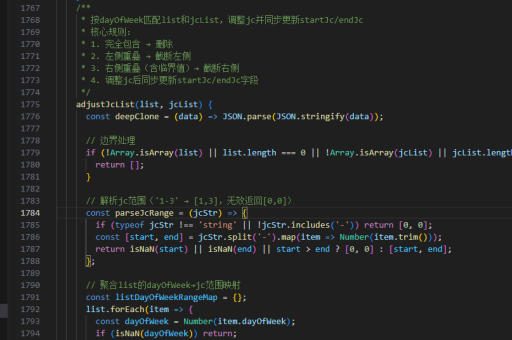
通过函数包装组件,返回一个新的组件,实现逻辑复用。
function withLoading(WrappedComponent) {
  return {
    data() {
      return { isLoading: true }
    },
    mounted() {
      setTimeout(() => {
        this.isLoading = false
      }, 1000)
    },
    render(h) {
      return h(WrappedComponent, {
        props: { ...this.$props, loading: this.isLoading }
      })
    }
  }
}
组合式 API(Composition API)
Vue 3 的组合式 API 提供了更灵活的逻辑复用方式。
// useCounter.js
import { ref } from 'vue'

export function useCounter() {
  const count = ref(0)
  const increment = () => count.value++
  return { count, increment }
}
<script setup>
import { useCounter } from './useCounter.js'
const { count, increment } = useCounter()
</script>
<template>
<button @click="increment">计数: {{ count }}</button>
</template>动态组件
通过 <component :is="..."> 动态切换组件,实现复用。
<template>
  <component :is="currentComponent" />
</template>

<script>
import ComponentA from './ComponentA.vue'
import ComponentB from './ComponentB.vue'

export default {
  data() {
    return {
      currentComponent: 'ComponentA'
    }
  },
  components: { ComponentA, ComponentB }
}
</script>
全局组件注册
在全局注册组件,可以在任何地方直接使用。
// main.js
import { createApp } from 'vue'
import App from './App.vue'
import GlobalComponent from './GlobalComponent.vue'

const app = createApp(App)
app.component('GlobalComponent', GlobalComponent)
app.mount('#app')
通过以上方法,可以灵活地在 Vue 中实现组件的复用,提高代码的可维护性和开发效率。