js实现点名
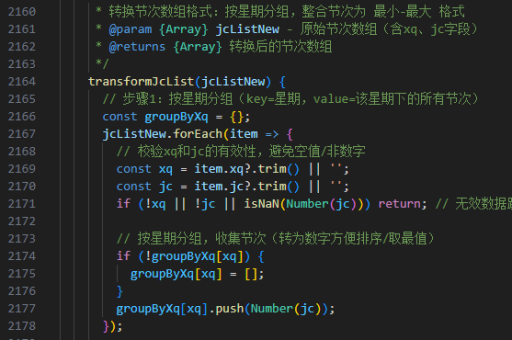

实现点名功能的JavaScript代码
以下是一个简单的点名功能实现,包含随机选择和显示被点中的人名:
// 定义名单数组
const nameList = ['张三', '李四', '王五', '赵六', '钱七'];

// 获取DOM元素
const nameDisplay = document.getElementById('name-display');
const startBtn = document.getElementById('start-btn');
const stopBtn = document.getElementById('stop-btn');

let timer;
let isRolling = false;

// 开始点名
startBtn.addEventListener('click', () => {
  if (isRolling) return;
  isRolling = true;

  timer = setInterval(() => {
    const randomIndex = Math.floor(Math.random() * nameList.length);
    nameDisplay.textContent = nameList[randomIndex];
  }, 100);
});

// 停止点名
stopBtn.addEventListener('click', () => {
  if (!isRolling) return;
  clearInterval(timer);
  isRolling = false;
});
HTML结构示例
<div class="name-picker">
  <h2 id="name-display">准备开始</h2>
  <button id="start-btn">开始点名</button>
  <button id="stop-btn">停止</button>
</div>
CSS样式建议
.name-picker {
  text-align: center;
  margin-top: 50px;
}

#name-display {
  font-size: 32px;
  margin-bottom: 20px;
}

button {
  padding: 10px 20px;
  margin: 0 10px;
  font-size: 16px;
  cursor: pointer;
}
功能扩展建议
- 添加音效:在开始和停止时播放提示音增强体验
- 名单管理:增加添加/删除名单的功能
- 历史记录:保存已被点过名的人员
- 动画效果:使用CSS动画让名字滚动更生动
- 排除已点:避免重复点到同一个人
完整实现示例
class NamePicker {
  constructor(names = []) {
    this.names = names;
    this.pickedNames = new Set();
    this.isRolling = false;
    this.timer = null;
  }

  start(callback) {
    if (this.isRolling) return;
    this.isRolling = true;

    this.timer = setInterval(() => {
      const availableNames = this.names.filter(name => !this.pickedNames.has(name));
      if (availableNames.length === 0) {
        this.stop();
        return;
      }

      const randomIndex = Math.floor(Math.random() * availableNames.length);
      callback(availableNames[randomIndex]);
    }, 100);
  }

  stop() {
    if (!this.isRolling) return;
    clearInterval(this.timer);
    this.isRolling = false;
  }

  addName(name) {
    this.names.push(name);
  }

  reset() {
    this.pickedNames.clear();
  }
}
这个实现提供了更结构化的代码,便于扩展和维护。使用时只需创建NamePicker实例并调用相应方法即可。