php登录验证码实现
PHP 登录验证码实现
生成验证码图片
使用 PHP 的 GD 库生成验证码图片,以下是一个简单的实现:
session_start();

// 创建空白图像
$width = 120;
$height = 40;
$image = imagecreatetruecolor($width, $height);

// 设置背景颜色
$bgColor = imagecolorallocate($image, 255, 255, 255);
imagefill($image, 0, 0, $bgColor);

// 生成随机验证码
$code = '';
$chars = '0123456789abcdefghijklmnopqrstuvwxyzABCDEFGHIJKLMNOPQRSTUVWXYZ';
for ($i = 0; $i < 5; $i++) {
    $code .= $chars[rand(0, strlen($chars) - 1)];
}

// 将验证码存入 session
$_SESSION['captcha'] = $code;

// 在图像上绘制验证码
$textColor = imagecolorallocate($image, 0, 0, 0);
imagestring($image, 5, 30, 12, $code, $textColor);

// 输出图像
header('Content-type: image/png');
imagepng($image);
imagedestroy($image);
在 HTML 表单中显示验证码
将生成的验证码图片嵌入到登录表单中:

<form action="login.php" method="post">
    <label for="username">用户名:</label>
    <input type="text" id="username" name="username" required>

    <label for="password">密码:</label>
    <input type="password" id="password" name="password" required>

    <label for="captcha">验证码:</label>
    <input type="text" id="captcha" name="captcha" required>
    <img src="captcha.php" alt="CAPTCHA" onclick="this.src='captcha.php?'+Math.random();">

    <button type="submit">登录</button>
</form>
验证用户输入的验证码
在登录处理脚本中验证用户输入的验证码:
session_start();

if ($_SERVER['REQUEST_METHOD'] === 'POST') {
    $userCaptcha = $_POST['captcha'] ?? '';
    $storedCaptcha = $_SESSION['captcha'] ?? '';

    if (empty($userCaptcha) || strtolower($userCaptcha) !== strtolower($storedCaptcha)) {
        die('验证码错误');
    }

    // 验证码正确,继续处理登录逻辑
    // ...

    // 清除验证码 session
    unset($_SESSION['captcha']);
}
增强验证码安全性
为提高安全性,可以添加以下改进措施:
// 添加干扰线
for ($i = 0; $i < 5; $i++) {
    $lineColor = imagecolorallocate($image, rand(0, 255), rand(0, 255), rand(0, 255));
    imageline($image, rand(0, $width), rand(0, $height), rand(0, $width), rand(0, $height), $lineColor);
}

// 添加噪点
for ($i = 0; $i < 100; $i++) {
    $pixelColor = imagecolorallocate($image, rand(0, 255), rand(0, 255), rand(0, 255));
    imagesetpixel($image, rand(0, $width), rand(0, $height), $pixelColor);
}

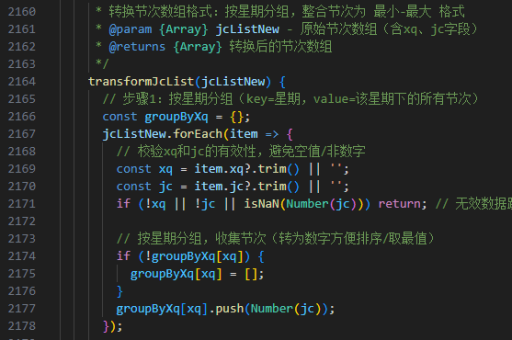
// 使用字体文件而不是默认字体
$font = 'path/to/font.ttf';
imagettftext($image, 20, rand(-10, 10), 10, 30, $textColor, $font, $code);
使用 Composer 包实现
对于更复杂的需求,可以考虑使用现成的 Composer 包:
composer require gregwar/captcha示例用法:
require 'vendor/autoload.php';

use Gregwar\Captcha\CaptchaBuilder;

$builder = new CaptchaBuilder;
$builder->build();

$_SESSION['captcha'] = $builder->getPhrase();

header('Content-type: image/jpeg');
$builder->output();
以上方法提供了从简单到复杂的 PHP 登录验证码实现方案,可以根据项目需求选择适合的实现方式。