订单 vue实现
Vue 实现订单功能
数据模型设计
订单功能通常需要设计以下数据结构:
// 订单数据结构
const order = {
  id: '',           // 订单ID
  userId: '',       // 用户ID
  items: [],        // 商品列表
  totalPrice: 0,    // 总金额
  status: '',       // 订单状态
  createTime: '',   // 创建时间
  address: {}       // 收货地址
}

// 商品项数据结构
const orderItem = {
  productId: '',
  productName: '',
  price: 0,
  quantity: 0,
  image: ''
}
订单列表组件
创建订单列表组件展示用户所有订单:
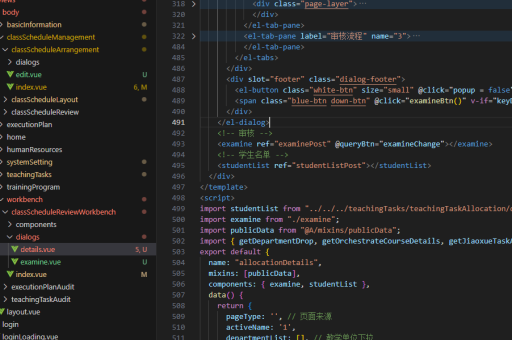
<template>
  <div class="order-list">
    <div v-for="order in orders" :key="order.id" class="order-card">
      <div class="order-header">
        <span>订单号: {{ order.id }}</span>
        <span class="status">{{ order.status }}</span>
      </div>
      <div v-for="item in order.items" :key="item.productId" class="order-item">
        <img :src="item.image" alt="商品图片">
        <div class="item-info">
          <div>{{ item.productName }}</div>
          <div>¥{{ item.price }} × {{ item.quantity }}</div>
        </div>
      </div>
      <div class="order-footer">
        <div>合计: ¥{{ order.totalPrice }}</div>
        <button @click="cancelOrder(order.id)" v-if="order.status === '待支付'">取消订单</button>
      </div>
    </div>
  </div>
</template>

<script>
export default {
  data() {
    return {
      orders: [] // 从API获取订单数据
    }
  },
  methods: {
    cancelOrder(orderId) {
      // 调用取消订单API
    }
  },
  created() {
    // 初始化获取订单数据
    this.fetchOrders()
  }
}
</script>
订单状态管理
使用Vuex管理订单状态:
// store/modules/order.js
const state = {
  orders: [],
  currentOrder: null
}

const mutations = {
  SET_ORDERS(state, orders) {
    state.orders = orders
  },
  UPDATE_ORDER_STATUS(state, {orderId, status}) {
    const order = state.orders.find(o => o.id === orderId)
    if (order) order.status = status
  }
}

const actions = {
  async fetchOrders({commit}) {
    const res = await api.getOrders()
    commit('SET_ORDERS', res.data)
  },
  async cancelOrder({commit}, orderId) {
    await api.cancelOrder(orderId)
    commit('UPDATE_ORDER_STATUS', {orderId, status: '已取消'})
  }
}
订单创建流程
实现下单功能:

<template>
  <div class="checkout">
    <h3>确认订单</h3>
    <div class="address-section">
      <h4>收货地址</h4>
      <address-selector v-model="selectedAddress"/>
    </div>

    <div class="product-list">
      <div v-for="item in cartItems" :key="item.id" class="cart-item">
        <!-- 商品信息展示 -->
      </div>
    </div>

    <div class="summary">
      <div>总计: ¥{{ totalPrice }}</div>
      <button @click="createOrder">提交订单</button>
    </div>
  </div>
</template>

<script>
export default {
  data() {
    return {
      cartItems: [],
      selectedAddress: null
    }
  },
  computed: {
    totalPrice() {
      return this.cartItems.reduce((sum, item) => sum + item.price * item.quantity, 0)
    }
  },
  methods: {
    async createOrder() {
      const orderData = {
        items: this.cartItems,
        address: this.selectedAddress,
        totalPrice: this.totalPrice
      }

      try {
        const res = await this.$store.dispatch('order/createOrder', orderData)
        this.$router.push(`/order/pay/${res.orderId}`)
      } catch (error) {
        alert('创建订单失败')
      }
    }
  }
}
</script>
订单状态流转
实现订单状态变更逻辑:
// 订单状态常量
const ORDER_STATUS = {
  PENDING: '待支付',
  PAID: '已支付',
  SHIPPED: '已发货',
  COMPLETED: '已完成',
  CANCELLED: '已取消'
}

// 状态变更方法
function updateOrderStatus(orderId, newStatus) {
  if (!validateStatusChange(this.getOrder(orderId).status, newStatus)) {
    throw new Error('非法状态变更')
  }
  this.$store.commit('order/UPDATE_ORDER_STATUS', {orderId, status: newStatus})
}

// 状态变更验证
function validateStatusChange(currentStatus, newStatus) {
  const validTransitions = {
    [ORDER_STATUS.PENDING]: [ORDER_STATUS.PAID, ORDER_STATUS.CANCELLED],
    [ORDER_STATUS.PAID]: [ORDER_STATUS.SHIPPED, ORDER_STATUS.CANCELLED],
    [ORDER_STATUS.SHIPPED]: [ORDER_STATUS.COMPLETED]
  }
  return validTransitions[currentStatus]?.includes(newStatus) || false
}
订单支付集成
集成支付功能示例:
<template>
  <div class="payment">
    <h3>订单支付</h3>
    <div class="order-info">
      <div>订单号: {{ order.id }}</div>
      <div>金额: ¥{{ order.totalPrice }}</div>
    </div>

    <div class="payment-methods">
      <div v-for="method in paymentMethods"
           :key="method.id"
           @click="selectMethod(method.id)"
           :class="{active: selectedMethod === method.id}">
        {{ method.name }}
      </div>
    </div>

    <button @click="handlePayment">立即支付</button>
  </div>
</template>

<script>
export default {
  data() {
    return {
      order: {},
      paymentMethods: [
        {id: 'alipay', name: '支付宝'},
        {id: 'wechat', name: '微信支付'}
      ],
      selectedMethod: 'alipay'
    }
  },
  methods: {
    selectMethod(methodId) {
      this.selectedMethod = methodId
    },
    async handlePayment() {
      try {
        await this.$store.dispatch('order/payOrder', {
          orderId: this.$route.params.orderId,
          method: this.selectedMethod
        })
        this.$router.push('/order/success')
      } catch (error) {
        alert('支付失败')
      }
    }
  }
}
</script>