
vue实现长截图
实现长截图的方法
在Vue中实现长截图功能,可以通过以下几种方式完成。这些方法适用于不同场景,根据需求选择合适的方式。
使用html2canvas库
安装html2canvas库:
npm install html2canvas在Vue组件中使用:
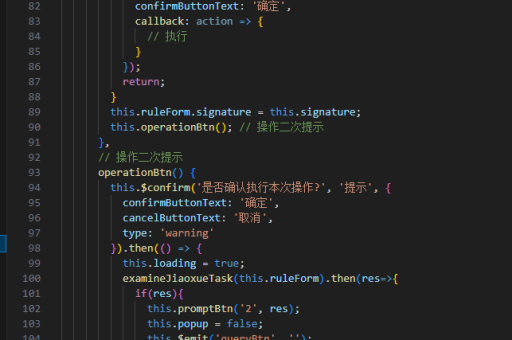
import html2canvas from 'html2canvas';

export default {
  methods: {
    captureLongScreenshot() {
      const element = document.getElementById('long-content');
      html2canvas(element, {
        scrollY: -window.scrollY,
        scrollX: -window.scrollX,
        windowWidth: document.documentElement.scrollWidth,
        windowHeight: document.documentElement.scrollHeight
      }).then(canvas => {
        const link = document.createElement('a');
        link.download = 'long-screenshot.png';
        link.href = canvas.toDataURL('image/png');
        link.click();
      });
    }
  }
}
使用dom-to-image库
安装dom-to-image库:
npm install dom-to-image在Vue组件中使用:

import domtoimage from 'dom-to-image';

export default {
  methods: {
    captureLongScreenshot() {
      const node = document.getElementById('long-content');
      domtoimage.toPng(node)
        .then(dataUrl => {
          const link = document.createElement('a');
          link.download = 'long-screenshot.png';
          link.href = dataUrl;
          link.click();
        });
    }
  }
}
使用puppeteer无头浏览器
对于服务器端渲染的长截图,可以使用puppeteer:
const puppeteer = require('puppeteer');

async function captureScreenshot(url, path) {
  const browser = await puppeteer.launch();
  const page = await browser.newPage();
  await page.goto(url, {waitUntil: 'networkidle2'});
  await page.screenshot({path: path, fullPage: true});
  await browser.close();
}
处理滚动内容
对于需要滚动截取的内容,可以分段截图后合并:
async function captureScrollingScreenshot(element, fileName) {
  const totalHeight = element.scrollHeight;
  const viewportHeight = window.innerHeight;
  let currentPosition = 0;
  const canvasList = [];

  while (currentPosition < totalHeight) {
    window.scrollTo(0, currentPosition);
    const canvas = await html2canvas(element, {
      windowHeight: viewportHeight,
      windowWidth: window.innerWidth
    });
    canvasList.push(canvas);
    currentPosition += viewportHeight;
  }

  // 合并canvas逻辑
  // ...
}
注意事项
- 跨域资源可能导致截图失败,需要配置CORS策略
- 复杂CSS样式可能渲染不一致,需要测试验证
- 大尺寸截图可能消耗较多内存,建议分块处理
- 某些浏览器插件可能干扰截图过程
以上方法可以根据实际项目需求选择使用,html2canvas是最常用的前端解决方案,而puppeteer适合服务器端渲染场景。





