vue 实现消息推送
Vue 实现消息推送的方法
在 Vue 中实现消息推送功能通常需要结合 WebSocket 或第三方推送服务(如 Firebase Cloud Messaging、Pusher 等)。以下是几种常见的实现方式:
WebSocket 实现
使用原生 WebSocket 或库(如 Socket.io)建立实时连接:

// 在 Vue 组件中
created() {
  this.socket = new WebSocket('wss://your-websocket-server.com');
  this.socket.onmessage = (event) => {
    this.$notify({
      title: '新消息',
      message: event.data,
      type: 'success'
    });
  };
}
Socket.io 实现
安装 Socket.io 客户端库:
npm install socket.io-client在 Vue 中使用:
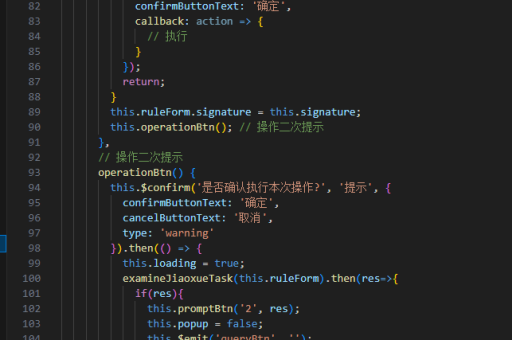
import io from 'socket.io-client';

export default {
  data() {
    return {
      socket: null
    };
  },
  created() {
    this.socket = io('https://your-socketio-server.com');
    this.socket.on('new-message', (message) => {
      this.showNotification(message);
    });
  },
  methods: {
    showNotification(message) {
      // 使用 Element UI 的通知或自定义弹窗
      this.$notify({
        title: '通知',
        message: message.content,
        position: 'bottom-right'
      });
    }
  }
}
Firebase Cloud Messaging (FCM)
适用于移动端和 Web 端的推送通知:
- 安装 Firebase SDK:
npm install firebase- 初始化 Firebase 并请求通知权限:
import firebase from 'firebase/app';
import 'firebase/messaging';

const firebaseConfig = {
  // 你的 Firebase 配置
};

firebase.initializeApp(firebaseConfig);
const messaging = firebase.messaging();

// 请求通知权限
messaging.requestPermission()
  .then(() => messaging.getToken())
  .then((token) => {
    console.log('FCM Token:', token);
    // 将 token 发送到你的服务器
  });

// 接收消息
messaging.onMessage((payload) => {
  console.log('Message received', payload);
  this.showNotification(payload.notification);
});
使用第三方服务 (Pusher)
- 注册 Pusher 并获取 API 密钥
- 安装 Pusher 客户端:
npm install pusher-js- 在 Vue 中使用:
import Pusher from 'pusher-js';

const pusher = new Pusher('YOUR_APP_KEY', {
  cluster: 'YOUR_CLUSTER',
  encrypted: true
});

const channel = pusher.subscribe('notifications');
channel.bind('new-notification', (data) => {
  this.$notify({
    title: data.title,
    message: data.message
  });
});
实现本地通知
对于简单的应用内通知,可以使用浏览器 Notification API:
methods: {
  showLocalNotification(title, body) {
    if (!('Notification' in window)) {
      alert('此浏览器不支持桌面通知');
      return;
    }

    if (Notification.permission === 'granted') {
      new Notification(title, { body });
    } else if (Notification.permission !== 'denied') {
      Notification.requestPermission().then(permission => {
        if (permission === 'granted') {
          new Notification(title, { body });
        }
      });
    }
  }
}
注意事项
- 生产环境中应考虑断线重连机制
- 敏感信息应加密传输
- 移动端可能需要处理后台通知
- 不同浏览器对通知 API 的支持程度不同
- 服务端需要实现相应的推送服务接口
以上方法可根据项目需求选择单独使用或组合使用,WebSocket 适合需要低延迟的双向通信,而 FCM 更适合移动端推送场景。