java接口如何看超时
监控接口超时的常用方法
使用Spring Boot的Actuator和Micrometer
在Spring Boot应用中,可以通过Actuator暴露的/actuator/metrics/http.server.requests端点获取请求耗时统计。配置Micrometer对接Prometheus或Grafana可实现可视化监控。
代码示例配置
# application.yml
management:
  endpoints:
    web:
      exposure:
        include: "*"
  metrics:
    distribution:
      percentiles:
        http.server.requests: 0.5,0.9,0.99
手动埋点计时
AOP切面实现 通过Spring AOP在接口方法前后记录时间差:
@Aspect
@Component
public class TimeoutAspect {
    @Around("@annotation(org.springframework.web.bind.annotation.GetMapping)")
    public Object logTimeout(ProceedingJoinPoint joinPoint) throws Throwable {
        long start = System.currentTimeMillis();
        Object result = joinPoint.proceed();
        long duration = System.currentTimeMillis() - start;
        if (duration > 1000) { // 自定义阈值
            log.warn("Slow API: {} took {}ms", joinPoint.getSignature(), duration);
        }
        return result;
    }
}
HTTP客户端超时配置
RestTemplate设置
@Bean
public RestTemplate restTemplate() {
    HttpComponentsClientHttpRequestFactory factory = new HttpComponentsClientHttpRequestFactory();
    factory.setConnectTimeout(3000);  // 连接超时
    factory.setReadTimeout(5000);     // 读取超时
    return new RestTemplate(factory);
}
Feign客户端配置
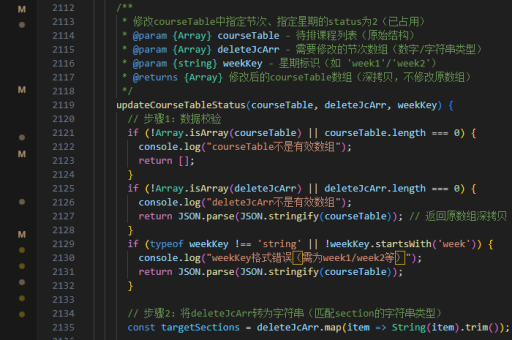
feign:
  client:
    config:
      default:
        connectTimeout: 2000
        readTimeout: 4000
日志分析方案
在logback-spring.xml中配置MDC记录耗时:
<pattern>%d{yyyy-MM-dd HH:mm:ss} [%thread] %-5level %logger{36} - %X{requestTime}ms %msg%n</pattern>配合过滤器记录时间:
public class TimeLogFilter implements Filter {
    @Override
    public void doFilter(ServletRequest request, ServletResponse response, FilterChain chain) {
        long start = System.currentTimeMillis();
        chain.doFilter(request, response);
        MDC.put("requestTime", String.valueOf(System.currentTimeMillis() - start));
    }
}
分布式链路追踪
集成SkyWalking或Zipkin等工具,在application.yml中添加:

spring:
  zipkin:
    base-url: http://localhost:9411
  sleuth:
    sampler:
      probability: 1.0
JVM线程分析
通过jstack检测阻塞线程:
jstack -l <pid> > thread_dump.txt查找处于TIMED_WAITING状态的线程及堆栈信息,定位耗时操作。
数据库查询监控
启用HikariCP的慢查询日志:
spring.datasource.hikari.leak-detection-threshold=3000
logging.level.net.ttddyy.dsproxy.listener=DEBUG
MyBatis Plus配置SQL执行时间阈值:
@Bean
public PerformanceInterceptor performanceInterceptor() {
    PerformanceInterceptor interceptor = new PerformanceInterceptor();
    interceptor.setMaxTime(1000); // 毫秒
    interceptor.setFormat(true);
    return interceptor;
}