如何测试java变量
测试Java变量的方法
测试Java变量涉及验证变量的值、类型和作用域是否符合预期。以下是几种常用的测试方法:
使用JUnit框架测试变量
JUnit是Java中广泛使用的单元测试框架。可以编写测试用例来验证变量的值。
import org.junit.Test;
import static org.junit.Assert.*;

public class VariableTest {
    @Test
    public void testVariableValue() {
        int expectedValue = 10;
        int actualValue = 5 + 5;
        assertEquals(expectedValue, actualValue);
    }
}
使用System.out.println打印变量值
在开发过程中,打印变量值是最简单的调试方法。
public class Main {
    public static void main(String[] args) {
        String message = "Hello, World!";
        System.out.println("Message value: " + message);
    }
}
使用调试器检查变量

现代IDE如IntelliJ IDEA和Eclipse都内置了调试器。可以设置断点并逐步执行代码,实时查看变量的值。
使用断言验证变量
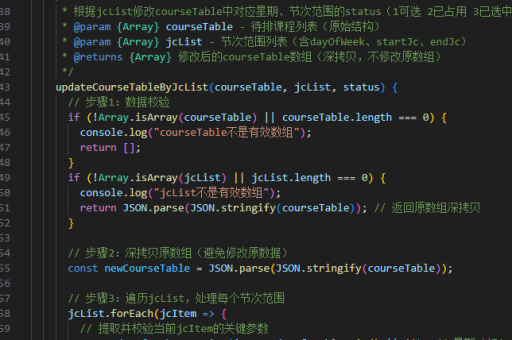
Java的assert关键字可以在运行时验证变量条件。需要在JVM参数中启用断言(-ea)。
public class Main {
    public static void main(String[] args) {
        int count = 5;
        assert count > 0 : "Count should be positive";
    }
}
测试变量类型
可以使用instanceof操作符或getClass()方法验证变量的类型。
public class Main {
    public static void main(String[] args) {
        Object obj = "Test";
        if (obj instanceof String) {
            System.out.println("Variable is a String");
        }
    }
}
测试变量作用域
通过在不同作用域访问变量,可以验证变量的可见性是否符合预期。
public class ScopeTest {
    private int classVariable = 10;

    public void testScope() {
        int localVariable = 20;
        System.out.println(classVariable); // 可访问
        System.out.println(localVariable); // 可访问
    }

    public void anotherMethod() {
        System.out.println(classVariable); // 可访问
        // System.out.println(localVariable); // 编译错误,不可访问
    }
}
这些方法可以单独使用,也可以组合使用,根据具体测试需求选择最适合的方式。