node elementui
Node.js 与 Element UI 结合使用
Node.js 是一个基于 Chrome V8 引擎的 JavaScript 运行时,而 Element UI 是一套基于 Vue.js 的桌面端组件库。通常,Element UI 用于前端开发,而 Node.js 用于后端开发。以下是两者结合使用的常见场景和方法。
安装 Node.js 环境
确保系统已安装 Node.js 和 npm(Node.js 包管理器)。可以通过以下命令检查是否安装成功:
node -v
npm -v
如果未安装,可以从 Node.js 官网 下载并安装最新版本。
创建 Vue.js 项目
Element UI 是一个 Vue.js 组件库,因此需要先创建一个 Vue.js 项目。可以使用 Vue CLI 快速搭建项目:
npm install -g @vue/cli
vue create my-project
cd my-project
安装 Element UI
在 Vue.js 项目中安装 Element UI:
npm install element-ui安装完成后,需要在项目的 main.js 文件中引入 Element UI:
import Vue from 'vue';
import ElementUI from 'element-ui';
import 'element-ui/lib/theme-chalk/index.css';

Vue.use(ElementUI);
使用 Element UI 组件
在 Vue 组件中可以直接使用 Element UI 提供的组件。例如,使用按钮组件:
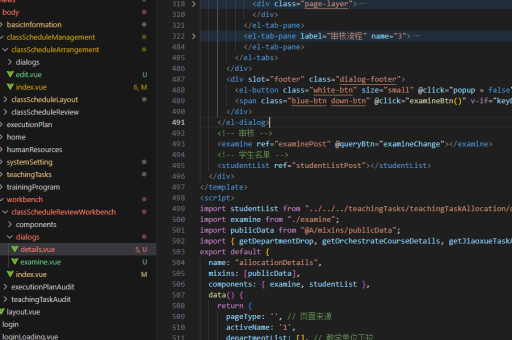
<template>
  <el-button type="primary">主要按钮</el-button>
</template>
后端服务与前端交互
Node.js 可以作为后端服务,提供 API 接口供前端调用。以下是一个简单的 Express 服务器示例:
const express = require('express');
const app = express();
const port = 3000;

app.get('/api/data', (req, res) => {
  res.json({ message: 'Hello from Node.js!' });
});

app.listen(port, () => {
  console.log(`Server running at http://localhost:${port}`);
});
前端可以通过 Axios 调用后端接口:
import axios from 'axios';

axios.get('http://localhost:3000/api/data')
  .then(response => {
    console.log(response.data);
  })
  .catch(error => {
    console.error(error);
  });
项目结构建议
典型的项目结构如下:
my-project/
├── backend/         # Node.js 后端代码
│   ├── server.js
│   └── package.json
├── frontend/        # Vue.js 前端代码
│   ├── src/
│   ├── public/
│   └── package.json
└── README.md
注意事项
- 确保前后端运行在不同的端口上,避免跨域问题。可以通过配置代理或启用 CORS 解决。
- 使用环境变量管理前后端的配置,如 API 地址、端口号等。
- 在开发过程中,可以使用
npm run serve启动前端开发服务器,使用node server.js启动后端服务。
通过以上步骤,可以实现 Node.js 后端与 Element UI 前端的结合使用,构建完整的全栈应用。