vue实现打印标签
使用 Vue 实现打印标签
安装打印插件
推荐使用 vue-print-nb 插件实现打印功能,安装命令如下:
npm install vue-print-nb --save注册打印指令
在 Vue 项目的入口文件(如 main.js)中注册打印指令:
import Print from 'vue-print-nb'
Vue.use(Print)
创建打印区域模板
在需要打印的组件中,设置打印区域和触发按钮:
<template>
  <div>
    <div id="printArea">
      <!-- 这里是标签内容 -->
      <div v-for="(item, index) in labels" :key="index">
        <div class="label-item">{{ item.text }}</div>
      </div>
    </div>
    <button v-print="printConfig">打印标签</button>
  </div>
</template>
配置打印参数
在组件中配置打印参数:
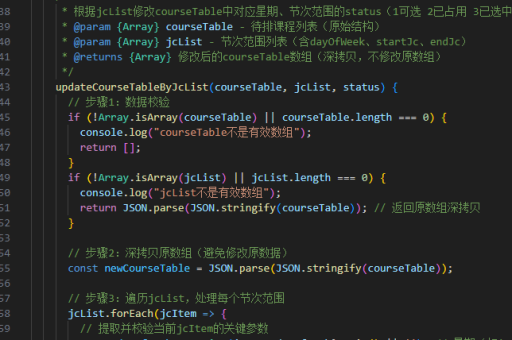
export default {
  data() {
    return {
      labels: [
        { text: '标签1' },
        { text: '标签2' },
        { text: '标签3' }
      ],
      printConfig: {
        id: 'printArea',
        popTitle: '标签打印',  // 打印标题
        extraCss: 'https://example.com/css/print.css',  // 额外CSS
        extraHead: '<meta http-equiv="Content-Language"content="zh-cn"/>'  // 额外头部信息
      }
    }
  }
}
样式优化
添加打印专用样式,确保打印效果符合预期:
@media print {
  body * {
    visibility: hidden;
  }
  #printArea, #printArea * {
    visibility: visible;
  }
  .label-item {
    page-break-inside: avoid;  /* 避免标签被分页截断 */
    margin: 10px;
    border: 1px dashed #ccc;
  }
}
动态生成标签内容
可以通过方法动态生成要打印的标签内容:
methods: {
  generateLabels() {
    this.labels = Array.from({length: 10}, (_, i) => ({
      text: `产品标签-${i+1}`,
      barcode: `CODE128-${Math.random().toString(36).substr(2,8)}`
    }))
  }
}
使用第三方库生成条形码
如需打印带条形码的标签,可安装 vue-barcode 组件:

npm install @chenfengyuan/vue-barcode在组件中使用:
<template>
  <div id="printArea">
    <div v-for="(item, index) in labels" :key="index">
      <vue-barcode :value="item.barcode" format="CODE128"></vue-barcode>
      <div>{{ item.text }}</div>
    </div>
  </div>
</template>

<script>
import VueBarcode from '@chenfengyuan/vue-barcode'
export default {
  components: { VueBarcode }
}
</script>
打印前的回调处理
可以添加打印前和打印后的回调函数:
printConfig: {
  id: 'printArea',
  beforeOpenCallback(vue) {
    console.log('打开打印预览前')
  },
  openCallback(vue) {
    console.log('打开打印预览后')
  },
  closeCallback(vue) {
    console.log('关闭打印预览后')
  }
}
批量打印控制
对于大批量标签打印,建议分页处理避免内存问题:
printBatchLabels() {
  const batchSize = 50
  for(let i=0; i<this.labels.length; i+=batchSize) {
    const batch = this.labels.slice(i, i+batchSize)
    this.printBatch(batch)
  }
}