vue实现切换tab
Vue 实现 Tab 切换的方法
使用 v-if 或 v-show 控制显示
通过 v-if 或 v-show 指令动态切换 Tab 内容的显示。v-if 会销毁和重建 DOM,适合内容变化较大的场景;v-show 仅切换 CSS 的 display 属性,适合频繁切换的场景。

<template>
  <div>
    <div class="tabs">
      <button @click="activeTab = 'tab1'">Tab 1</button>
      <button @click="activeTab = 'tab2'">Tab 2</button>
    </div>
    <div class="content">
      <div v-if="activeTab === 'tab1'">Content for Tab 1</div>
      <div v-if="activeTab === 'tab2'">Content for Tab 2</div>
    </div>
  </div>
</template>

<script>
export default {
  data() {
    return {
      activeTab: 'tab1'
    };
  }
};
</script>
使用动态组件 <component>
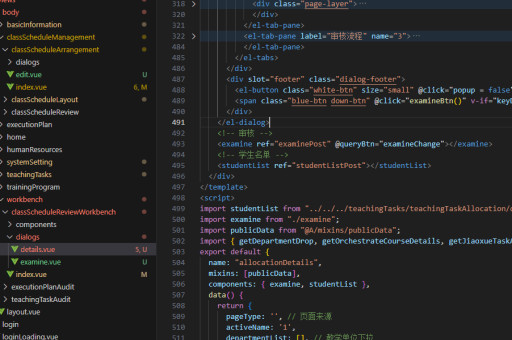
通过 Vue 的动态组件 <component> 结合 :is 属性实现 Tab 切换,适合封装多个独立组件的情况。
<template>
  <div>
    <div class="tabs">
      <button @click="currentComponent = 'ComponentA'">Component A</button>
      <button @click="currentComponent = 'ComponentB'">Component B</button>
    </div>
    <component :is="currentComponent"></component>
  </div>
</template>

<script>
import ComponentA from './ComponentA.vue';
import ComponentB from './ComponentB.vue';

export default {
  components: { ComponentA, ComponentB },
  data() {
    return {
      currentComponent: 'ComponentA'
    };
  }
};
</script>
使用 Vue Router 实现路由级 Tab
通过 Vue Router 的嵌套路由或命名视图实现 Tab 切换,适合需要 URL 同步或复杂布局的场景。
// router.js
const routes = [
  {
    path: '/tabs',
    component: TabsContainer,
    children: [
      { path: 'tab1', component: Tab1 },
      { path: 'tab2', component: Tab2 }
    ]
  }
];
<!-- TabsContainer.vue -->
<template>
<div>
<router-link to="/tabs/tab1">Tab 1</router-link>
<router-link to="/tabs/tab2">Tab 2</router-link>
<router-view></router-view>
</div>
</template>使用第三方库(如 Element UI)
UI 库如 Element UI 提供封装好的 Tab 组件,可直接使用。
<template>
  <el-tabs v-model="activeTab">
    <el-tab-pane label="Tab 1" name="tab1">Content 1</el-tab-pane>
    <el-tab-pane label="Tab 2" name="tab2">Content 2</el-tab-pane>
  </el-tabs>
</template>

<script>
export default {
  data() {
    return {
      activeTab: 'tab1'
    };
  }
};
</script>
样式与交互优化
- 高亮当前 Tab:通过动态类名绑定(如
:class="{ active: activeTab === 'tab1' }")实现选中状态样式。 - 动画过渡:使用 Vue 的
<transition>组件为 Tab 切换添加动画效果。 - 懒加载:结合
v-if或动态组件的keep-alive实现内容缓存,避免重复渲染。