vue实现子表格
实现子表格的基本思路
在Vue中实现子表格通常涉及嵌套数据结构与动态渲染。核心是通过递归组件或嵌套循环展示父子层级关系,结合展开/折叠交互控制子表格的显示状态。
使用递归组件实现嵌套表格
递归组件适合处理不确定层级的嵌套数据。父组件调用自身渲染子表格,直至数据遍历完毕。

<template>
  <table>
    <tr v-for="item in tableData" :key="item.id">
      <td>{{ item.name }}</td>
      <td>
        <button @click="toggleChildren(item)">展开</button>
      </td>
    </tr>
    <tr v-if="item.showChildren && item.children">
      <td colspan="2">
        <nested-table :table-data="item.children" />
      </td>
    </tr>
  </table>
</template>

<script>
export default {
  name: 'NestedTable',
  props: ['tableData'],
  methods: {
    toggleChildren(item) {
      item.showChildren = !item.showChildren
    }
  }
}
</script>
使用Element UI的Table组件实现
Element UI的el-table内置展开行功能,通过expand插槽实现子表格。
<template>
  <el-table :data="tableData">
    <el-table-column type="expand">
      <template #default="{ row }">
        <el-table :data="row.children" v-if="row.children">
          <!-- 子表格列定义 -->
        </el-table>
      </template>
    </el-table-column>
    <!-- 父表格列定义 -->
  </el-table>
</template>
动态加载子表格数据
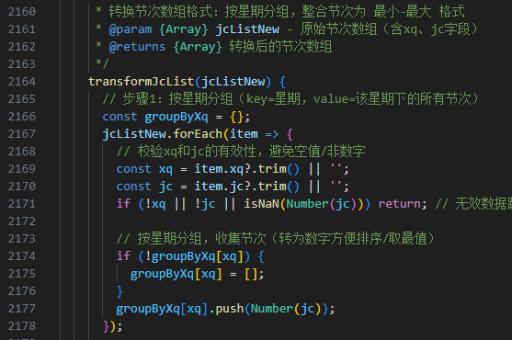
对于大数据量场景,可采用懒加载方式。点击展开时异步获取子数据。
methods: {
  loadChildren(row, callback) {
    if (row.childrenLoaded) return
    api.getChildren(row.id).then(res => {
      row.children = res.data
      row.childrenLoaded = true
      callback()
    })
  }
}
样式与交互优化
通过CSS控制缩进视觉层级,添加过渡动画提升体验。
.sub-table {
  margin-left: 20px;
  transition: all 0.3s ease;
}
性能注意事项
对于深层嵌套数据,建议:
- 设置
max-depth限制递归深度 - 使用虚拟滚动处理大量数据
- 通过
v-if而非v-show控制子表格渲染
以上方案可根据实际需求组合使用,Element UI方案适合快速开发,递归组件方案灵活性更高。