elementui open=
elementui open 方法
Element UI 的 open 方法通常用于手动打开某些组件(如 Dialog、MessageBox 等)。以下是常见组件的 open 方法使用方式。
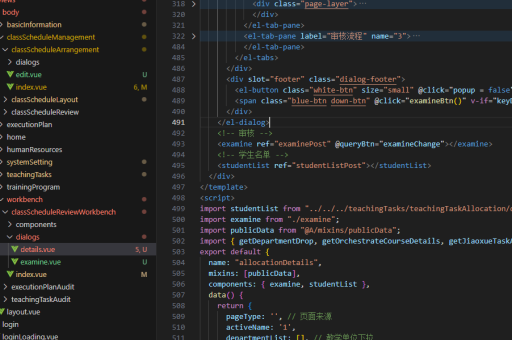
Dialog 组件手动打开
通过 visible.sync 控制 Dialog 显示或隐藏,也可以通过 this.$refs.dialog.open() 手动打开。
<el-dialog ref="dialog" title="提示" :visible.sync="dialogVisible">
  内容
</el-dialog>

methods: {
  openDialog() {
    this.$refs.dialog.open();
  }
}
MessageBox 手动打开
MessageBox 通常通过 this.$confirm 或 this.$alert 调用,但也可以使用 this.$msgbox 手动控制。
this.$msgbox({
  title: '提示',
  message: '确认操作吗?',
  showCancelButton: true
}).then(() => {
  console.log('确认');
}).catch(() => {
  console.log('取消');
});
Notification 手动打开
Notification 通过 this.$notify 触发显示。
this.$notify({
  title: '提示',
  message: '这是一条通知',
  type: 'success'
});
Popover 手动打开
Popover 可以通过 doShow 方法手动触发显示。
<el-popover ref="popover" placement="top" trigger="manual">
  <p>内容</p>
</el-popover>

methods: {
  showPopover() {
    this.$refs.popover.doShow();
  }
}
注意事项
- 确保组件已正确设置
ref属性以便通过this.$refs访问。 - 部分组件(如 Message、Notification)没有显式的
open方法,而是直接调用全局方法触发显示。 - Dialog 的
visible.sync是双向绑定的,直接修改该值也能控制显示/隐藏。