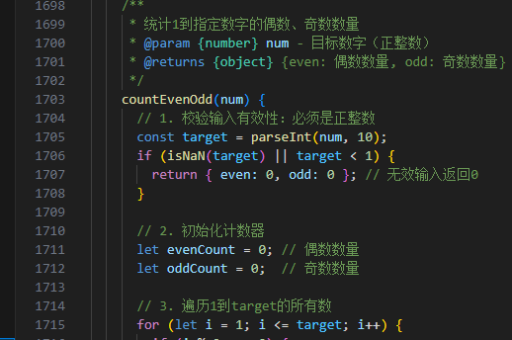
js 实现股票k线图
使用 Canvas 或 SVG 绘制 K 线图
在 JavaScript 中,可以通过 Canvas 或 SVG 绘制股票 K 线图。Canvas 适合大数据量渲染,SVG 更适合交互式操作。以下是两种实现方式的对比和示例代码。
Canvas 实现 K 线图
Canvas 通过 JavaScript 动态绘制图形,适合高性能渲染:
const canvas = document.getElementById('kLineChart');
const ctx = canvas.getContext('2d');

// 示例数据:开盘价、收盘价、最高价、最低价
const data = [
  { open: 100, close: 105, high: 110, low: 95 },
  { open: 105, close: 102, high: 108, low: 100 },
  { open: 102, close: 110, high: 115, low: 100 }
];

// 绘制 K 线
function drawKLine(data, width, padding) {
  const candleWidth = width / data.length - padding;
  data.forEach((item, i) => {
    const x = i * (candleWidth + padding);
    const isUp = item.close >= item.open;
    const bodyTop = Math.min(item.open, item.close);
    const bodyHeight = Math.abs(item.close - item.open);

    // 绘制影线(最高价-最低价)
    ctx.beginPath();
    ctx.moveTo(x + candleWidth / 2, item.high);
    ctx.lineTo(x + candleWidth / 2, item.low);
    ctx.strokeStyle = isUp ? 'green' : 'red';
    ctx.stroke();

    // 绘制实体(开盘价-收盘价)
    ctx.fillStyle = isUp ? 'green' : 'red';
    ctx.fillRect(x, bodyTop, candleWidth, bodyHeight);
  });
}

drawKLine(data, canvas.width, 5);
SVG 实现 K 线图
SVG 通过 DOM 操作生成图形,适合交互和动态更新:

const svg = document.getElementById('kLineChart');

function createKLineSVG(data, width, height) {
  const candleWidth = width / data.length - 5;
  data.forEach((item, i) => {
    const x = i * (candleWidth + 5);
    const isUp = item.close >= item.open;
    const bodyTop = Math.min(item.open, item.close);
    const bodyHeight = Math.abs(item.close - item.open);

    // 创建影线(最高价-最低价)
    const line = document.createElementNS('http://www.w3.org/2000/svg', 'line');
    line.setAttribute('x1', x + candleWidth / 2);
    line.setAttribute('y1', item.high);
    line.setAttribute('x2', x + candleWidth / 2);
    line.setAttribute('y2', item.low);
    line.setAttribute('stroke', isUp ? 'green' : 'red');
    svg.appendChild(line);

    // 创建实体(开盘价-收盘价)
    const rect = document.createElementNS('http://www.w3.org/2000/svg', 'rect');
    rect.setAttribute('x', x);
    rect.setAttribute('y', bodyTop);
    rect.setAttribute('width', candleWidth);
    rect.setAttribute('height', bodyHeight);
    rect.setAttribute('fill', isUp ? 'green' : 'red');
    svg.appendChild(rect);
  });
}

createKLineSVG(data, 500, 300);
使用第三方库(推荐)
对于更复杂的 K 线图需求,推荐使用以下库:
-
Lightweight Charts (TradingView)
高性能、支持大量数据:
import { createChart } from 'lightweight-charts'; const chart = createChart(document.getElementById('kLineChart'), { width: 800, height: 400 }); const candlestickSeries = chart.addCandlestickSeries(); candlestickSeries.setData([ { time: '2023-01-01', open: 100, high: 110, low: 95, close: 105 }, { time: '2023-01-02', open: 105, high: 108, low: 100, close: 102 } ]); -
ECharts
功能丰富,支持交互:import * as echarts from 'echarts'; const chart = echarts.init(document.getElementById('kLineChart')); chart.setOption({ series: [{ type: 'candlestick', data: [ [100, 105, 95, 110], [105, 102, 100, 108] ] }] }); -
Chart.js
简单易用,适合基础需求:import Chart from 'chart.js/auto'; new Chart(document.getElementById('kLineChart'), { type: 'candlestick', data: { datasets: [{ data: [ { o: 100, h: 110, l: 95, c: 105 }, { o: 105, h: 108, l: 100, c: 102 } ] }] } });
数据处理与动态更新
从 API 获取实时数据并更新图表:
async function fetchStockData() {
  const response = await fetch('https://api.example.com/stock');
  const data = await response.json();
  candlestickSeries.setData(data); // Lightweight Charts 示例
}
注意事项
- 性能优化:大数据量时使用 Canvas 或 WebGL 渲染(如 Lightweight Charts)。
- 时间轴:K 线图通常需要时间刻度,需将数据转换为时间序列。
- 交互功能:添加缩放、拖拽、提示框等增强用户体验。