js实现图形验证码
实现图形验证码的步骤
在JavaScript中实现图形验证码通常涉及生成随机字符串、绘制图形以及验证用户输入。以下是具体实现方法:
生成随机验证码字符串
使用Math.random()生成包含数字和字母的随机字符串:
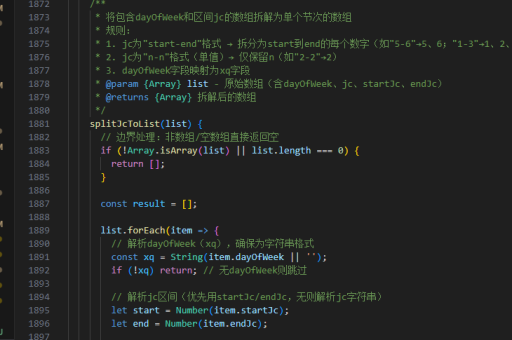
function generateRandomCode(length) {
  const chars = '0123456789ABCDEFGHIJKLMNOPQRSTUVWXYZ';
  let result = '';
  for (let i = 0; i < length; i++) {
    result += chars.charAt(Math.floor(Math.random() * chars.length));
  }
  return result;
}
创建Canvas绘制验证码
使用HTML5 Canvas API绘制验证码图形:

<canvas id="captchaCanvas" width="150" height="50"></canvas>
<script>
  function drawCaptcha() {
    const canvas = document.getElementById('captchaCanvas');
    const ctx = canvas.getContext('2d');
    const code = generateRandomCode(6);

    // 清空画布
    ctx.clearRect(0, 0, canvas.width, canvas.height);

    // 填充背景色
    ctx.fillStyle = '#f3f3f3';
    ctx.fillRect(0, 0, canvas.width, canvas.height);

    // 绘制文字
    ctx.font = '24px Arial';
    ctx.fillStyle = '#333';
    ctx.textAlign = 'center';
    ctx.textBaseline = 'middle';

    // 添加文字扭曲效果
    for(let i = 0; i < code.length; i++) {
      ctx.save();
      ctx.translate(25 + i * 20, 25);
      ctx.rotate(Math.random() * 0.4 - 0.2);
      ctx.fillText(code.charAt(i), 0, 0);
      ctx.restore();
    }

    // 绘制干扰线
    for(let i = 0; i < 5; i++) {
      ctx.strokeStyle = getRandomColor();
      ctx.beginPath();
      ctx.moveTo(Math.random() * canvas.width, Math.random() * canvas.height);
      ctx.lineTo(Math.random() * canvas.width, Math.random() * canvas.height);
      ctx.stroke();
    }

    // 绘制干扰点
    for(let i = 0; i < 50; i++) {
      ctx.fillStyle = getRandomColor();
      ctx.beginPath();
      ctx.arc(
        Math.random() * canvas.width,
        Math.random() * canvas.height,
        1,
        0,
        2 * Math.PI
      );
      ctx.fill();
    }

    return code;
  }

  function getRandomColor() {
    const r = Math.floor(Math.random() * 256);
    const g = Math.floor(Math.random() * 256);
    const b = Math.floor(Math.random() * 256);
    return `rgb(${r},${g},${b})`;
  }
</script>
验证用户输入
创建验证逻辑并与用户输入比较:
let currentCaptcha = drawCaptcha();

function validateCaptcha(input) {
  return input.toUpperCase() === currentCaptcha;
}

// 刷新验证码
function refreshCaptcha() {
  currentCaptcha = drawCaptcha();
}

// 使用示例
document.getElementById('refreshBtn').addEventListener('click', refreshCaptcha);
document.getElementById('submitBtn').addEventListener('click', function() {
  const userInput = document.getElementById('captchaInput').value;
  if(validateCaptcha(userInput)) {
    alert('验证码正确');
  } else {
    alert('验证码错误');
    refreshCaptcha();
  }
});
完整HTML示例
<!DOCTYPE html>
<html>
<head>
  <title>图形验证码示例</title>
  <style>
    #captchaContainer {
      margin: 20px;
    }
    #captchaCanvas {
      border: 1px solid #ddd;
      margin-bottom: 10px;
    }
    button {
      margin-right: 10px;
    }
  </style>
</head>
<body>
  <div id="captchaContainer">
    <canvas id="captchaCanvas" width="150" height="50"></canvas>
    <div>
      <input type="text" id="captchaInput" placeholder="输入验证码">
      <button id="submitBtn">提交</button>
      <button id="refreshBtn">刷新</button>
    </div>
  </div>

  <script>
    // 这里放置前面所有的JavaScript代码
  </script>
</body>
</html>
安全增强建议
为提高验证码安全性,可考虑以下改进:
- 服务器端验证:将生成的验证码存储在session中,提交时与服务器端存储的值比对
- 增加过期时间:设置验证码的有效期
- 限制尝试次数:防止暴力破解
- 使用更复杂的扭曲算法:如波浪形、非线性变形等
- 添加背景噪声:增加识别难度
这种方法创建的验证码可以有效防止简单的自动化脚本攻击,但对于专业OCR工具可能仍需更复杂的防御措施。