
js实现排序
实现数组排序
JavaScript中数组排序可以通过内置的Array.prototype.sort()方法实现。该方法默认将元素转换为字符串并按Unicode码点排序,因此对数字排序需自定义比较函数。
const arr = [3, 1, 4, 2];
arr.sort((a, b) => a - b); // 升序:[1, 2, 3, 4]
arr.sort((a, b) => b - a); // 降序:[4, 3, 2, 1]
对象数组按属性排序
当数组元素为对象时,可通过比较对象的特定属性值实现排序。
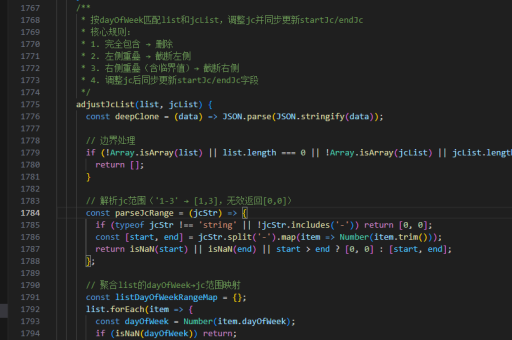
const users = [
  { name: 'Alice', age: 25 },
  { name: 'Bob', age: 30 }
];
users.sort((a, b) => a.age - b.age); // 按age升序
字符串排序
对字符串数组排序时需注意大小写敏感问题。可通过统一转换为大写或小写后再比较。
const names = ['Alice', 'bob', 'Charlie'];
names.sort((a, b) => a.localeCompare(b, undefined, { sensitivity: 'base' }));
稳定排序实现
ES2019规定sort()必须稳定,但老旧环境可能需要手动实现。可通过记录原始索引来保证稳定性。

function stableSort(arr, compare) {
  return arr
    .map((item, index) => ({ item, index }))
    .sort((a, b) => compare(a.item, b.item) || a.index - b.index)
    .map(({ item }) => item);
}
自定义排序算法
如需实现特定排序算法(如快速排序、归并排序),可参考以下快速排序示例:
function quickSort(arr) {
  if (arr.length <= 1) return arr;
  const pivot = arr[0];
  const left = [];
  const right = [];
  for (let i = 1; i < arr.length; i++) {
    arr[i] < pivot ? left.push(arr[i]) : right.push(arr[i]);
  }
  return [...quickSort(left), pivot, ...quickSort(right)];
}
性能优化建议
对于大规模数据排序:
- 优先使用原生
sort()(V8引擎使用TimSort算法) - 避免在比较函数中进行复杂计算
- 对定型数组(TypedArray)使用专用排序方法





