vue watch 实现时钟
使用 Vue 的 watch 实现时钟
在 Vue 中,可以通过 watch 监听时间变化来实现一个实时更新的时钟。以下是具体实现方法:
方法一:使用 setInterval 和 watch
-
定义数据属性
在 Vue 的data中定义一个time属性,用于存储当前时间。data() { return { time: new Date() }; } -
使用
watch监听时间变化
在mounted钩子中启动定时器,并通过watch监听time的变化。mounted() { this.timer = setInterval(() => { this.time = new Date(); }, 1000); } -
在模板中显示时间
在模板中直接绑定time,并使用toLocaleTimeString格式化显示。<template> <div>{{ time.toLocaleTimeString() }}</div> </template> -
清除定时器
在beforeDestroy钩子中清除定时器,避免内存泄漏。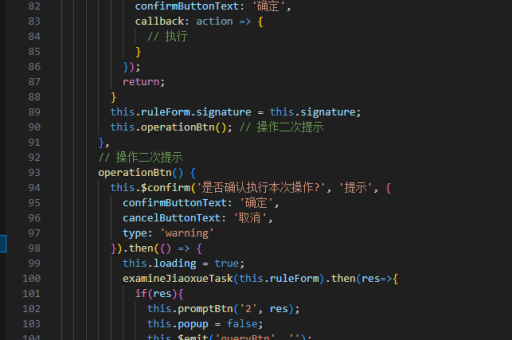
beforeDestroy() {
  clearInterval(this.timer);
}
方法二:使用 computed 和 watch 结合
-
定义数据属性
定义一个timestamp属性作为时间戳,并通过computed计算格式化时间。data() { return { timestamp: Date.now() }; }, computed: { formattedTime() { return new Date(this.timestamp).toLocaleTimeString(); } } -
使用
watch监听时间变化
通过setInterval更新timestamp,触发computed重新计算。mounted() { this.timer = setInterval(() => { this.timestamp = Date.now(); }, 1000); } -
在模板中显示时间
直接绑定formattedTime。
<template>
  <div>{{ formattedTime }}</div>
</template>
方法三:使用 watch 和 methods 结合
-
定义数据和方法
定义一个currentTime属性和一个更新时间的方法。data() { return { currentTime: new Date() }; }, methods: { updateTime() { this.currentTime = new Date(); } } -
使用
watch监听变化
在mounted中启动定时器,并通过watch监听currentTime。mounted() { this.timer = setInterval(this.updateTime, 1000); } -
在模板中显示时间
直接绑定currentTime并格式化显示。<template> <div>{{ currentTime.toLocaleTimeString() }}</div> </template>
注意事项
- 定时器需要在组件销毁时清除,避免内存泄漏。
- 如果需要更复杂的时间格式化,可以使用第三方库如
moment.js或date-fns。 - 如果仅需显示时间,
computed可能是更简洁的选择。
以上方法均能实现一个实时更新的时钟,选择哪种方式取决于具体需求和代码风格。