vue实现echarts图片运动
在 Vue 中实现 ECharts 图片运动效果
使用 ECharts 的动画配置
ECharts 内置了多种动画效果,可以通过配置项直接启用。在 Vue 项目中安装 ECharts 后,在组件中引入并使用。
import * as echarts from 'echarts';

export default {
  mounted() {
    const chart = echarts.init(this.$refs.chart);
    chart.setOption({
      animation: true,
      animationDuration: 1000,
      animationEasing: 'cubicInOut',
      series: [{
        type: 'line',
        data: [120, 200, 150, 80, 70, 110, 130],
        smooth: true
      }]
    });
  }
}
使用自定义动画效果
对于更复杂的运动效果,可以使用 ECharts 的 graphic 组件和自定义动画。

const option = {
  graphic: {
    elements: [{
      type: 'image',
      style: {
        image: 'path/to/image.png',
        width: 50,
        height: 50
      },
      position: [0, 0],
      keyframeAnimation: {
        duration: 1000,
        loop: true,
        keyframes: [{
          percent: 0,
          easing: 'linear',
          x: 0,
          y: 0
        }, {
          percent: 1,
          easing: 'linear',
          x: 500,
          y: 500
        }]
      }
    }]
  }
};
结合 Vue 的动态数据更新
通过 Vue 的响应式特性,可以动态更新图表数据实现运动效果。
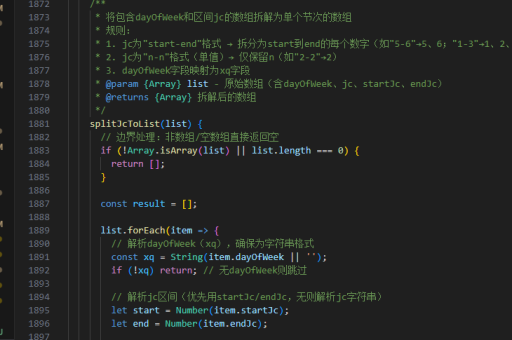
data() {
  return {
    chartData: [10, 20, 30, 40, 50]
  }
},
methods: {
  updateChart() {
    this.chartData = this.chartData.map(v => v + Math.random() * 10);
    this.$nextTick(() => {
      this.chart.setOption({
        series: [{
          data: this.chartData
        }]
      });
    });
  }
}
使用 ECharts 的事件系统
通过监听图表事件来触发动画效果。
chart.on('click', () => {
  chart.dispatchAction({
    type: 'showTip',
    seriesIndex: 0,
    dataIndex: 0
  });
});
实现路径动画
对于需要沿特定路径运动的图片,可以使用路径动画配置。
const option = {
  series: [{
    type: 'lines',
    coordinateSystem: 'cartesian2d',
    polyline: true,
    data: [{
      coords: [[0, 0], [100, 100], [200, 50]],
      lineStyle: {
        width: 2
      }
    }],
    effect: {
      show: true,
      period: 4,
      trailLength: 0.2,
      symbol: 'circle',
      symbolSize: 8
    }
  }]
};
注意事项
- 确保在组件销毁时调用
echarts.dispose()清理图表实例 - 对于复杂动画,考虑使用 WebGL 渲染器提升性能
- 响应式设计需要考虑容器尺寸变化时的重绘问题