vue图片预览组件实现
实现图片预览组件的基本思路
在Vue中实现图片预览功能,通常需要结合模态框(Modal)和图片展示组件。核心功能包括:点击缩略图放大显示、支持左右切换、缩放、旋转等操作。
基于Element UI的简易实现
若项目中使用Element UI,可直接使用其el-image组件配合大图预览功能:
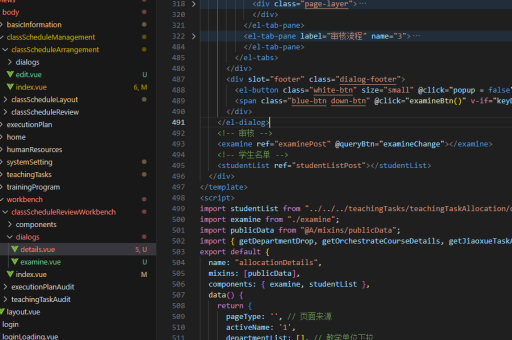
<template>
  <el-image
    :src="imgUrl"
    :preview-src-list="previewList"
    fit="cover"
    style="width: 200px; height: 200px">
  </el-image>
</template>

<script>
export default {
  data() {
    return {
      imgUrl: 'https://example.com/thumbnail.jpg',
      previewList: [
        'https://example.com/fullsize1.jpg',
        'https://example.com/fullsize2.jpg'
      ]
    }
  }
}
</script>
自定义预览组件实现
如需完全自定义功能,可参考以下结构:
<template>
<div>
<!-- 缩略图列表 -->
<div v-for="(img, index) in images" :key="index">
<img
:src="img.thumbnail"
@click="openPreview(index)"
class="thumbnail">
</div>
<!-- 预览模态框 -->
<div v-if="showPreview" class="preview-modal">
<span class="close-btn" @click="closePreview">×</span>
<img :src="currentImage.full" class="preview-image">
<button @click="prevImage">上一张</button>
<button @click="nextImage">下一张</button>
</div>
</div>
</template>
<script>
export default {
data() {
return {
images: [
{ thumbnail: '/thumb1.jpg', full: '/full1.jpg' },
{ thumbnail: '/thumb2.jpg', full: '/full2.jpg' }
],
showPreview: false,
currentIndex: 0
}
},
computed: {
currentImage() {
return this.images[this.currentIndex]
}
},
methods: {
openPreview(index) {
this.currentIndex = index
this.showPreview = true
},
closePreview() {
this.showPreview = false
},
prevImage() {
this.currentIndex = Math.max(0, this.currentIndex - 1)
},
nextImage() {
this.currentIndex = Math.min(this.images.length - 1, this.currentIndex + 1)
}
}
}
</script>
<style>
.thumbnail {
width: 100px;
height: 100px;
cursor: pointer;
}
.preview-modal {
position: fixed;
top: 0;
left: 0;
width: 100%;
height: 100%;
background: rgba(0,0,0,0.8);
z-index: 1000;
}
.preview-image {
max-width: 80%;
max-height: 80%;
position: absolute;
top: 50%;
left: 50%;
transform: translate(-50%, -50%);
}
.close-btn {
position: absolute;
top: 20px;
right: 20px;
color: white;
font-size: 30px;
cursor: pointer;
}
</style>使用第三方库
对于更复杂的需求,推荐使用专门的照片预览库:

- vue-photo-preview
npm install vue-photo-previewimport Vue from 'vue' import PhotoPreview from 'vue-photo-preview' import 'vue-photo-preview/dist/skin.css'
Vue.use(PhotoPreview)
```html
<img v-for="src in imageList"
     :src="src"
     v-preview="src"
preview-title="图片预览">- viewerjs
npm install v-viewerimport Viewer from 'v-viewer' import 'viewerjs/dist/viewer.css' Vue.use(Viewer)<template> <div class="images"> <img v-for="src in images" :src="src" :key="src"> </div> </template>
高级功能扩展
对于需要手势缩放、旋转等高级功能的实现:
- 监听
touchstart、touchmove事件实现手势操作 - 使用CSS3的
transform: scale()实现缩放 - 通过
transform: rotate()实现图片旋转 - 添加过渡动画提升用户体验
// 示例:基础缩放逻辑
handleWheel(e) {
  e.preventDefault()
  const delta = e.deltaY > 0 ? -0.1 : 0.1
  this.scale = Math.max(0.5, Math.min(3, this.scale + delta))
}
以上方案可根据项目需求选择简单实现或完整功能方案,第三方库通常能提供更稳定的交互体验和跨浏览器兼容性。