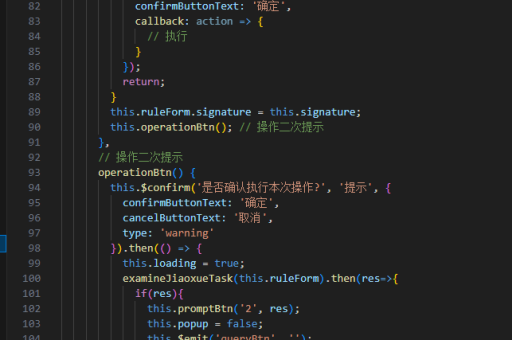
vue怎么实现表单提交
Vue 表单提交的实现方法
Vue 提供了多种方式实现表单提交,以下是常见的几种方法:
使用 v-model 绑定表单数据
在 Vue 中可以通过 v-model 指令实现表单数据的双向绑定。这种方法适合简单的表单场景。
<template>
  <form @submit.prevent="handleSubmit">
    <input v-model="formData.username" type="text" placeholder="用户名">
    <input v-model="formData.password" type="password" placeholder="密码">
    <button type="submit">提交</button>
  </form>
</template>

<script>
export default {
  data() {
    return {
      formData: {
        username: '',
        password: ''
      }
    }
  },
  methods: {
    handleSubmit() {
      // 在这里处理表单提交逻辑
      console.log(this.formData)
      // 可以调用API发送数据
    }
  }
}
</script>
使用 ref 获取表单数据
对于需要更多控制的场景,可以使用 ref 获取表单元素或整个表单的引用。
<template>
  <form ref="myForm" @submit.prevent="handleSubmit">
    <input name="username" type="text" placeholder="用户名">
    <input name="password" type="password" placeholder="密码">
    <button type="submit">提交</button>
  </form>
</template>

<script>
export default {
  methods: {
    handleSubmit() {
      const formData = new FormData(this.$refs.myForm)
      // 可以遍历formData或直接发送
      for (let [key, value] of formData.entries()) {
        console.log(key, value)
      }
    }
  }
}
</script>
使用第三方表单验证库
对于复杂的表单验证需求,可以集成如 VeeValidate 或 Element UI 的表单组件。
<template>
  <ValidationObserver v-slot="{ handleSubmit }">
    <form @submit.prevent="handleSubmit(submitForm)">
      <ValidationProvider name="email" rules="required|email" v-slot="{ errors }">
        <input v-model="email" type="text">
        <span>{{ errors[0] }}</span>
      </ValidationProvider>
      <button type="submit">提交</button>
    </form>
  </ValidationObserver>
</template>

<script>
import { ValidationObserver, ValidationProvider } from 'vee-validate'

export default {
  components: {
    ValidationObserver,
    ValidationProvider
  },
  data() {
    return {
      email: ''
    }
  },
  methods: {
    submitForm() {
      // 表单验证通过后执行
      console.log('表单提交:', this.email)
    }
  }
}
</script>
使用 Axios 发送表单数据
实际项目中通常需要将表单数据发送到后端 API。
methods: {
  async submitForm() {
    try {
      const response = await axios.post('/api/submit', this.formData)
      console.log('提交成功:', response.data)
    } catch (error) {
      console.error('提交失败:', error)
    }
  }
}
处理文件上传
对于包含文件上传的表单,需要使用 FormData 对象。
<template>
  <form @submit.prevent="uploadFile">
    <input type="file" @change="handleFileChange">
    <button type="submit">上传</button>
  </form>
</template>

<script>
export default {
  data() {
    return {
      file: null
    }
  },
  methods: {
    handleFileChange(e) {
      this.file = e.target.files[0]
    },
    async uploadFile() {
      const formData = new FormData()
      formData.append('file', this.file)

      try {
        const response = await axios.post('/api/upload', formData, {
          headers: {
            'Content-Type': 'multipart/form-data'
          }
        })
        console.log('上传成功:', response.data)
      } catch (error) {
        console.error('上传失败:', error)
      }
    }
  }
}
</script>
表单验证最佳实践
在提交表单前进行客户端验证是必要的。可以使用内置验证或第三方库:

methods: {
  validateForm() {
    if (!this.formData.username) {
      alert('请输入用户名')
      return false
    }
    if (this.formData.password.length < 6) {
      alert('密码长度不能少于6位')
      return false
    }
    return true
  },
  handleSubmit() {
    if (!this.validateForm()) return
    // 验证通过后提交表单
  }
}
以上方法涵盖了 Vue 中实现表单提交的主要场景和技术。根据项目需求选择合适的方法,简单表单可使用 v-model,复杂表单建议使用专业验证库。