vue实现星星评分原理
实现原理
Vue实现星星评分通常基于组件化思想,通过数据驱动视图渲染。核心逻辑是动态绑定评分值,结合CSS样式控制星星的选中状态。用户交互通过鼠标事件更新评分数据。
基本实现步骤
数据准备 定义评分最大值(如5星)和当前选中值,使用v-model实现双向绑定:
data() {
  return {
    maxStars: 5,
    selectedStars: 0,
    hoverStars: 0
  }
}
模板渲染 使用v-for循环渲染星星图标,通过动态类名控制选中状态:
<div class="star-rating">
  <span
    v-for="(star, index) in maxStars"
    :key="index"
    @click="selectStar(index + 1)"
    @mouseover="hoverStar(index + 1)"
    @mouseleave="resetHover"
    :class="{ 'active': (hoverStars || selectedStars) > index }"
  >★</span>
</div>
交互逻辑 实现点击评分和鼠标悬停效果:
methods: {
  selectStar(star) {
    this.selectedStars = star;
  },
  hoverStar(star) {
    this.hoverStars = star;
  },
  resetHover() {
    this.hoverStars = 0;
  }
}
样式控制
通过CSS实现视觉反馈:
.star-rating span {
  font-size: 24px;
  color: #ccc;
  cursor: pointer;
}
.star-rating span.active {
  color: #ffcc00;
}
进阶优化
半星评分 使用CSS伪元素和宽度控制实现半星效果:
computed: {
  starStyle() {
    return (index) => {
      const rating = this.hoverStars || this.selectedStars;
      return {
        width: rating > index ?
          (rating - index >= 1 ? '100%' : '50%') : '0%'
      };
    };
  }
}
动态图标 替换Unicode字符为SVG图标提升视觉效果:
<svg v-if="isActive" viewBox="0 0 24 24">
  <path d="M12 17.27L18.18 21l-1.64-7.03L22 9.24l-7.19-.61L12 2 9.19 8.63 2 9.24l5.46 4.73L5.82 21z"/>
</svg>
组件封装
将评分逻辑封装为可复用组件,通过props接收配置:
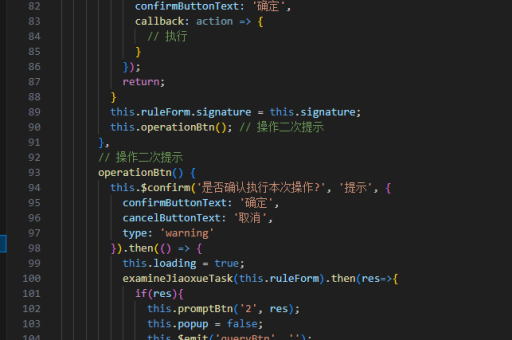
props: {
  value: Number,
  max: {
    type: Number,
    default: 5
  },
  editable: {
    type: Boolean,
    default: true
  }
}
注意事项
- 移动端需添加touch事件支持
- 考虑添加ARIA属性提升无障碍访问
- 大型项目建议使用第三方库如vue-star-rating