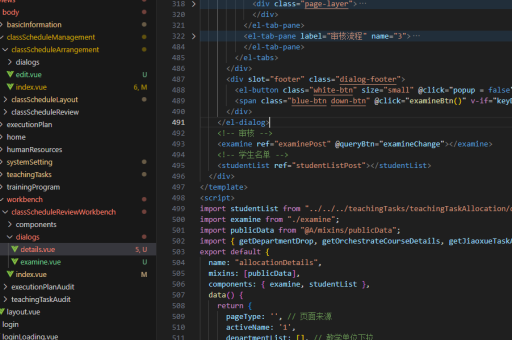
小程序使用vue实现
使用 Vue 实现小程序的步骤
开发环境准备
安装 Node.js 和 npm,确保版本兼容性。使用 Vue CLI 创建项目,选择 Vue 3 或 Vue 2 版本。安装必要的依赖,如 vue-router 和 vuex(根据项目需求)。
项目结构设计
创建清晰的目录结构,例如 src 目录下包含 components、pages、assets 等文件夹。pages 用于存放小程序页面,components 用于复用组件。
页面开发
使用 Vue 单文件组件(SFC)开发页面。每个页面对应一个 .vue 文件,包含模板、脚本和样式。通过 vue-router 配置路由,实现页面跳转。
<template>
  <div>
    <h1>首页</h1>
    <button @click="goToDetail">跳转到详情页</button>
  </div>
</template>

<script>
export default {
  methods: {
    goToDetail() {
      this.$router.push('/detail');
    }
  }
}
</script>

<style scoped>
h1 {
  color: #42b983;
}
</style>
状态管理
使用 vuex 管理全局状态。定义 store 模块,包括 state、mutations、actions 和 getters。在组件中通过 mapState 或 mapActions 访问或修改状态。
import { createStore } from 'vuex';

export default createStore({
  state: {
    count: 0
  },
  mutations: {
    increment(state) {
      state.count++;
    }
  },
  actions: {
    incrementAsync({ commit }) {
      setTimeout(() => {
        commit('increment');
      }, 1000);
    }
  }
});
接口调用
使用 axios 或 fetch 调用后端接口。封装请求方法,统一处理错误和响应。在 actions 中调用接口并更新 state。
import axios from 'axios';

export default {
  actions: {
    async fetchData({ commit }) {
      try {
        const response = await axios.get('/api/data');
        commit('setData', response.data);
      } catch (error) {
        console.error(error);
      }
    }
  }
};
样式与适配
使用 CSS 预处理器(如 Sass 或 Less)编写样式。通过媒体查询或 flexible.js 实现响应式布局。确保样式在小程序环境中兼容。
打包与部署
使用 npm run build 生成生产环境代码。将生成的 dist 目录上传至小程序开发者工具,进行预览和发布。
注意事项
避免使用 Vue 特有的语法(如 v-html),确保兼容小程序环境。测试页面跳转和组件生命周期,确保功能正常。