vue实现箭头控制选项
实现箭头控制选项的基本思路
在Vue中实现箭头控制选项通常涉及监听键盘事件,根据按键方向(上/下/左/右)移动焦点或选择状态。核心逻辑包括:绑定键盘事件、维护当前选中索引、动态更新选项样式。
键盘事件监听
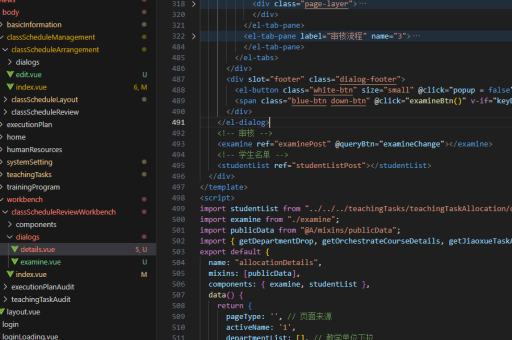
在Vue组件中通过@keydown监听键盘事件,建议在mounted钩子中添加事件,beforeDestroy时移除:
mounted() {
  window.addEventListener('keydown', this.handleKeyDown);
},
beforeDestroy() {
  window.removeEventListener('keydown', this.handleKeyDown);
}
处理方向键逻辑
在handleKeyDown方法中判断按键类型,更新当前选中项的索引:

methods: {
  handleKeyDown(e) {
    if (e.key === 'ArrowUp') {
      this.currentIndex = Math.max(0, this.currentIndex - 1);
    } else if (e.key === 'ArrowDown') {
      this.currentIndex = Math.min(this.options.length - 1, this.currentIndex + 1);
    }
  }
}
动态渲染选项列表
通过v-for渲染选项列表,根据currentIndex高亮当前选中项:
<ul>
  <li
    v-for="(option, index) in options"
    :key="index"
    :class="{ 'active': index === currentIndex }"
  >
    {{ option }}
  </li>
</ul>
完整组件示例
<template>
  <div class="arrow-selector">
    <ul>
      <li
        v-for="(option, index) in options"
        :key="index"
        :class="{ 'active': index === currentIndex }"
      >
        {{ option }}
      </li>
    </ul>
  </div>
</template>

<script>
export default {
  data() {
    return {
      options: ['选项1', '选项2', '选项3', '选项4'],
      currentIndex: 0
    };
  },
  mounted() {
    window.addEventListener('keydown', this.handleKeyDown);
  },
  beforeDestroy() {
    window.removeEventListener('keydown', this.handleKeyDown);
  },
  methods: {
    handleKeyDown(e) {
      if (e.key === 'ArrowUp') {
        this.currentIndex = Math.max(0, this.currentIndex - 1);
      } else if (e.key === 'ArrowDown') {
        this.currentIndex = Math.min(this.options.length - 1, this.currentIndex + 1);
      }
    }
  }
};
</script>

<style>
.active {
  background-color: #f0f0f0;
  font-weight: bold;
}
</style>
扩展功能建议
- 边界处理:到达列表顶部/底部时循环选择或禁用继续移动
- 回车确认:添加
@keydown.enter事件处理选中确认 - 组件封装:将逻辑抽象为可复用的
ArrowSelector组件 - 无障碍支持:添加
aria-activedescendant等ARIA属性
移动端适配方案
若需支持触屏设备,可添加触摸事件处理滑动操作:
methods: {
  handleSwipe(direction) {
    if (direction === 'up') {
      this.currentIndex = Math.min(this.options.length - 1, this.currentIndex + 1);
    } else if (direction === 'down') {
      this.currentIndex = Math.max(0, this.currentIndex - 1);
    }
  }
}