vue如何实现开屏广告
实现开屏广告的基本思路
在Vue中实现开屏广告通常需要结合路由守卫、定时器、本地存储等技术。核心逻辑是在应用启动时展示广告页面,倒计时结束后自动跳转到主页面,同时支持手动跳过。
使用路由守卫控制广告展示
通过Vue Router的全局前置守卫判断是否需要展示广告。可以利用localStorage或sessionStorage记录广告是否已展示过:
// router.js
import Vue from 'vue'
import Router from 'vue-router'
import Home from './views/Home.vue'
import SplashAd from './views/SplashAd.vue'

Vue.use(Router)

const router = new Router({
  routes: [
    {
      path: '/',
      redirect: '/splash'
    },
    {
      path: '/splash',
      name: 'splash',
      component: SplashAd
    },
    {
      path: '/home',
      name: 'home',
      component: Home
    }
  ]
})

router.beforeEach((to, from, next) => {
  const hasSeenAd = localStorage.getItem('hasSeenAd')
  if (to.path === '/splash' && hasSeenAd) {
    next('/home')
  } else {
    next()
  }
})
广告页面组件实现
创建广告组件,包含倒计时逻辑和跳过按钮:

<template>
  <div class="splash-ad">
    <img src="@/assets/ad.jpg" alt="广告">
    <div class="skip-btn" @click="skipAd">
      跳过 {{countdown}}s
    </div>
  </div>
</template>

<script>
export default {
  data() {
    return {
      countdown: 5,
      timer: null
    }
  },
  mounted() {
    this.startCountdown()
  },
  methods: {
    startCountdown() {
      this.timer = setInterval(() => {
        if (this.countdown <= 1) {
          this.skipAd()
        } else {
          this.countdown--
        }
      }, 1000)
    },
    skipAd() {
      clearInterval(this.timer)
      localStorage.setItem('hasSeenAd', 'true')
      this.$router.replace('/home')
    }
  },
  beforeDestroy() {
    clearInterval(this.timer)
  }
}
</script>

<style scoped>
.splash-ad {
  position: fixed;
  top: 0;
  left: 0;
  width: 100%;
  height: 100%;
}
.skip-btn {
  position: absolute;
  right: 20px;
  top: 20px;
  padding: 5px 10px;
  background: rgba(0,0,0,0.5);
  color: white;
  border-radius: 15px;
  cursor: pointer;
}
</style>
进阶优化方案
每日只展示一次广告
修改存储逻辑,记录最后展示日期:
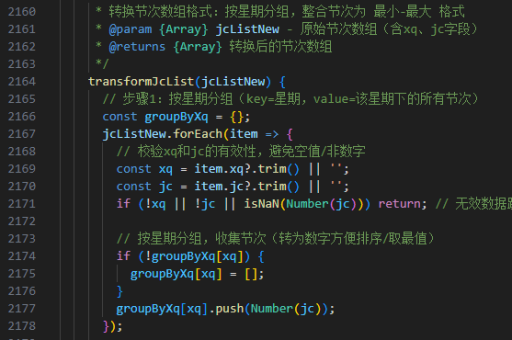
// 在skipAd方法中
const today = new Date().toDateString()
localStorage.setItem('lastAdDate', today)

// 修改路由守卫
const lastAdDate = localStorage.getItem('lastAdDate')
const today = new Date().toDateString()
if (to.path === '/splash' && lastAdDate === today) {
  next('/home')
}
网络广告图片加载
使用异步加载广告图片,显示加载状态:
<template>
  <div v-if="loading" class="loading">加载中...</div>
  <div v-else class="splash-ad">
    <img :src="adImage" @load="onImageLoad">
  </div>
</template>

<script>
export default {
  data() {
    return {
      loading: true,
      adImage: ''
    }
  },
  mounted() {
    this.loadAdImage()
  },
  methods: {
    async loadAdImage() {
      try {
        const res = await fetch('https://api.example.com/ad')
        this.adImage = res.data.url
      } catch (e) {
        this.skipAd()
      }
    },
    onImageLoad() {
      this.loading = false
      this.startCountdown()
    }
  }
}
</script>
注意事项
- 广告图片应预先压缩优化,减少加载时间
- 移动端需考虑不同屏幕尺寸适配问题
- 广告展示时间不宜过长,3-5秒为宜
- 清除定时器防止内存泄漏
- 提供无障碍访问支持