vue实现标签页
Vue 实现标签页的方法
使用动态组件和 v-for 循环
创建标签页组件,利用 v-for 循环渲染标签头,通过动态组件切换内容区域。核心代码结构如下:
<template>
  <div class="tabs">
    <div class="tab-headers">
      <div
        v-for="(tab, index) in tabs"
        :key="index"
        @click="currentTab = index"
        :class="{ active: currentTab === index }"
      >
        {{ tab.title }}
      </div>
    </div>
    <div class="tab-content">
      <component :is="tabs[currentTab].component" />
    </div>
  </div>
</template>

<script>
export default {
  data() {
    return {
      currentTab: 0,
      tabs: [
        { title: '标签1', component: 'Tab1Component' },
        { title: '标签2', component: 'Tab2Component' }
      ]
    }
  }
}
</script>
使用 Vue Router 实现路由标签页
结合 Vue Router 的路由系统实现带路由功能的标签页:
const routes = [
  { path: '/tab1', component: Tab1 },
  { path: '/tab2', component: Tab2 }
]

// 在组件中使用 router-link 作为标签头
<router-link
  v-for="route in routes"
  :key="route.path"
  :to="route.path"
  custom
  v-slot="{ navigate, isActive }"
>
  <div @click="navigate" :class="{ active: isActive }">
    {{ route.path.replace('/', '') }}
  </div>
</router-link>
<router-view></router-view>
使用第三方库
流行的 Vue 标签页库包括:

vue-tabs-component:轻量级标签页组件element-ui的el-tabs:功能丰富的企业级组件vuetify的v-tabs:Material Design 风格的实现
以 element-ui 为例:
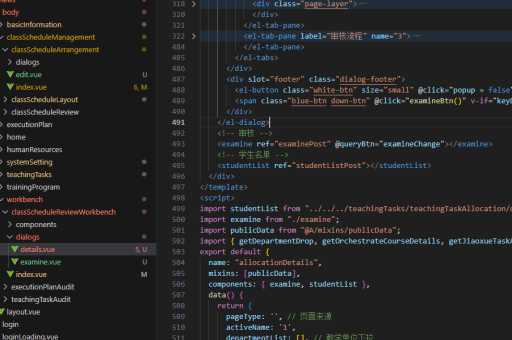
<el-tabs v-model="activeTab">
  <el-tab-pane label="标签1" name="tab1">内容1</el-tab-pane>
  <el-tab-pane label="标签2" name="tab2">内容2</el-tab-pane>
</el-tabs>
添加动画过渡效果
为标签内容切换添加过渡动画:

<transition name="fade" mode="out-in">
  <component :is="currentComponent" />
</transition>

<style>
.fade-enter-active, .fade-leave-active {
  transition: opacity 0.3s;
}
.fade-enter, .fade-leave-to {
  opacity: 0;
}
</style>
可关闭标签页实现
实现带关闭按钮的标签页需要维护标签列表:
methods: {
  closeTab(index) {
    this.tabs.splice(index, 1)
    if (this.currentTab >= index) {
      this.currentTab = Math.max(0, this.currentTab - 1)
    }
  }
}
响应式设计考虑
针对移动设备优化标签页显示:
@media (max-width: 768px) {
  .tab-headers {
    flex-direction: column;
  }
}