vue实现表头纵向
实现表头纵向的方法
使用Vue实现表头纵向可以通过CSS样式和表格结构调整来实现。以下是具体方法:
使用CSS transform属性旋转表头
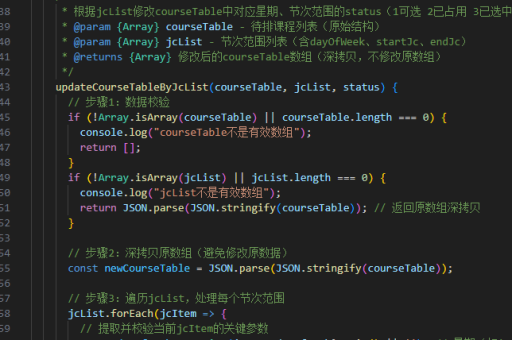
通过CSS的transform属性将表头单元格旋转90度,使其纵向显示。这种方法适用于简单的表格布局。
<template>
  <table>
    <thead>
      <tr>
        <th v-for="header in headers" :key="header" class="vertical-header">
          {{ header }}
        </th>
      </tr>
    </thead>
    <tbody>
      <tr v-for="row in rows" :key="row.id">
        <td v-for="header in headers" :key="header">
          {{ row[header] }}
        </td>
      </tr>
    </tbody>
  </table>
</template>

<style>
.vertical-header {
  transform: rotate(-90deg);
  transform-origin: left top;
  white-space: nowrap;
  height: 100px; /* 调整高度以适应旋转后的文本 */
  width: 30px;   /* 调整宽度以适应旋转后的文本 */
}
</style>
使用writing-mode属性
CSS的writing-mode属性可以改变文本的书写方向,适合实现纵向文本。

<template>
  <table>
    <thead>
      <tr>
        <th v-for="header in headers" :key="header" class="vertical-header">
          {{ header }}
        </th>
      </tr>
    </thead>
    <tbody>
      <tr v-for="row in rows" :key="row.id">
        <td v-for="header in headers" :key="header">
          {{ row[header] }}
        </td>
      </tr>
    </tbody>
  </table>
</template>

<style>
.vertical-header {
  writing-mode: vertical-rl;
  text-orientation: mixed;
  height: 100px;
  width: 30px;
}
</style>
调整表格结构
通过调整表格结构,将表头放在单独的列中,实现纵向显示。
<template>
  <table>
    <tr v-for="(row, index) in rowsWithHeader" :key="index">
      <th class="vertical-header">{{ row.header }}</th>
      <td>{{ row.value }}</td>
    </tr>
  </table>
</template>

<script>
export default {
  data() {
    return {
      headers: ['Header1', 'Header2', 'Header3'],
      rows: [
        { id: 1, Header1: 'Value1', Header2: 'Value2', Header3: 'Value3' },
        { id: 2, Header1: 'Value4', Header2: 'Value5', Header3: 'Value6' }
      ],
    };
  },
  computed: {
    rowsWithHeader() {
      return this.headers.map(header => ({
        header,
        value: this.rows.map(row => row[header]).join(', ')
      }));
    }
  }
};
</script>

<style>
.vertical-header {
  writing-mode: vertical-rl;
  text-orientation: mixed;
}
</style>
注意事项
- 旋转文本可能会导致布局问题,需要调整单元格的高度和宽度以适应旋转后的文本。
- 使用
writing-mode属性时,注意浏览器兼容性。 - 调整表格结构的方法适用于表头和内容一一对应的场景,灵活性较高。
以上方法可以根据具体需求选择适合的实现方式。