vue实现文档目录
Vue 实现文档目录的方法
在 Vue 中实现文档目录功能,可以通过解析文档内容动态生成目录结构。以下是几种常见的实现方式:
使用插件 vue-scrollactive
安装插件后,通过监听滚动事件高亮当前阅读的章节:
npm install vue-scrollactiveimport VueScrollactive from 'vue-scrollactive';
Vue.use(VueScrollactive);<template>
<div>
<nav class="toc">
<ul>
<li v-for="link in links" :key="link.href">
<a :href="link.href" v-scrollactive>{{ link.text }}</a>
</li>
</ul>
</nav>
<div v-html="content"></div>
</div>
</template>手动解析标题标签
通过正则表达式或 DOM 操作提取文档中的 h1-h6 标题,生成嵌套列表结构:
methods: {
  generateToc() {
    const headings = document.querySelectorAll('h2, h3');
    this.tocItems = Array.from(headings).map(heading => ({
      id: heading.id,
      text: heading.textContent,
      level: parseInt(heading.tagName.substring(1))
    }));
  }
},
mounted() {
  this.generateToc();
}
结合 Markdown 解析器
如果文档是 Markdown 格式,可以使用 markdown-it 等库提取标题:
const md = require('markdown-it')();
const result = md.render(markdownContent);
const tokens = md.parse(markdownContent, {});
const headings = tokens.filter(token => token.type === 'heading_open');
动态滚动定位
为目录项添加点击事件,平滑滚动到对应章节:
scrollToHeading(id) {
  const element = document.getElementById(id);
  if (element) {
    element.scrollIntoView({ behavior: 'smooth' });
  }
}
响应式目录高亮
通过 Intersection Observer API 实现阅读进度跟踪:
setupObserver() {
  const observer = new IntersectionObserver((entries) => {
    entries.forEach(entry => {
      if (entry.isIntersecting) {
        this.activeId = entry.target.id;
      }
    });
  }, { threshold: 0.5 });

  document.querySelectorAll('section').forEach(section => {
    observer.observe(section);
  });
}
嵌套目录结构
对于多级标题,需要递归生成嵌套的树形结构:
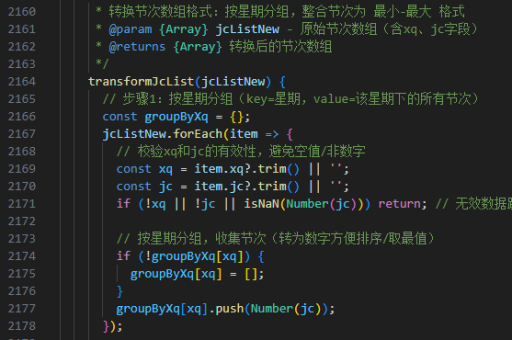
buildTocTree(items, level = 2) {
  const tree = [];
  while (items.length) {
    const item = items[0];
    if (item.level === level) {
      tree.push({ ...item, children: [] });
      items.shift();
    } else if (item.level > level) {
      tree[tree.length - 1].children = this.buildTocTree(items, item.level);
    } else {
      break;
    }
  }
  return tree;
}
注意事项
- 确保每个标题都有唯一的
id属性 - 对于动态加载的内容,需要在内容更新后重新生成目录
- 移动端需要考虑目录的响应式布局
- 复杂的文档结构可能需要实现目录折叠/展开功能
以上方法可根据实际项目需求组合使用,建议优先考虑现有插件方案以减少开发成本。