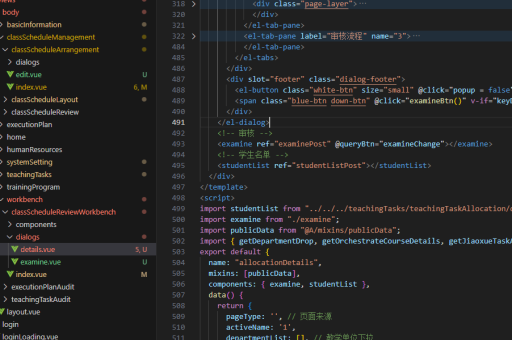
vue前端功能实现
Vue 前端功能实现指南
Vue.js 是一款流行的前端框架,适用于构建用户界面和单页应用(SPA)。以下是实现常见功能的典型方法:
数据绑定与响应式更新
Vue 的核心特性是数据绑定,通过 v-model 实现双向绑定:
<template>
  <input v-model="message" placeholder="输入内容">
  <p>{{ message }}</p>
</template>

<script>
export default {
  data() {
    return {
      message: ''
    }
  }
}
</script>
条件渲染
使用 v-if 或 v-show 控制元素显示:
<div v-if="isVisible">条件为真时显示</div>
<div v-else>其他情况显示</div>
列表渲染
v-for 指令可渲染数组或对象:
<ul>
  <li v-for="(item, index) in items" :key="index">
    {{ item.text }}
  </li>
</ul>
事件处理
通过 v-on 或 @ 绑定事件:
<button @click="handleClick">点击触发</button>

<script>
export default {
  methods: {
    handleClick() {
      alert('事件已触发');
    }
  }
}
</script>
组件通信
父子组件通过 props 和 events 通信:
<!-- 父组件 -->
<child-component :msg="parentMsg" @update="parentMsg = $event"></child-component>

<!-- 子组件 -->
<script>
export default {
  props: ['msg'],
  methods: {
    emitUpdate() {
      this.$emit('update', '新消息');
    }
  }
}
</script>
状态管理(Vuex)
对于复杂状态管理,可使用 Vuex:
// store.js
import Vuex from 'vuex';
const store = new Vuex.Store({
  state: { count: 0 },
  mutations: {
    increment(state) {
      state.count++;
    }
  }
});

// 组件中使用
this.$store.commit('increment');
路由控制(Vue Router)
实现页面导航:
// router.js
import VueRouter from 'vue-router';
const routes = [
  { path: '/', component: Home },
  { path: '/about', component: About }
];
const router = new VueRouter({ routes });

// 组件内导航
this.$router.push('/about');
API 请求
推荐使用 axios 进行 HTTP 请求:
import axios from 'axios';
axios.get('/api/data')
  .then(response => {
    this.data = response.data;
  })
  .catch(error => {
    console.error(error);
  });
生命周期钩子
利用生命周期函数控制组件行为:
export default {
  created() {
    // 组件实例创建后调用
  },
  mounted() {
    // DOM 挂载完成后调用
  },
  beforeDestroy() {
    // 组件销毁前清理
  }
}
自定义指令
扩展 Vue 功能:
Vue.directive('focus', {
  inserted(el) {
    el.focus();
  }
});

// 使用
<input v-focus>
性能优化建议
- 使用
v-if和v-show合理选择 - 列表渲染始终指定
:key - 复杂计算属性使用缓存
- 路由懒加载减少初始包大小
- 第三方库按需引入
以上方法涵盖了 Vue 开发中的核心功能实现,可根据具体需求组合使用。