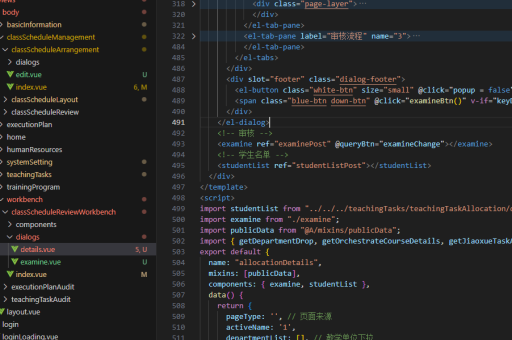
vue实现页面下钻
Vue 实现页面下钻的方法
使用路由跳转实现下钻
在Vue项目中,可以通过Vue Router实现页面下钻功能。定义路由时,为下钻页面配置动态参数。
// router.js
const routes = [
  {
    path: '/list',
    component: ListPage
  },
  {
    path: '/detail/:id',
    component: DetailPage,
    props: true
  }
]
在列表页使用router-link或编程式导航跳转到详情页:
<!-- ListPage.vue -->
<template>
  <div v-for="item in items" :key="item.id">
    <router-link :to="'/detail/' + item.id">{{ item.name }}</router-link>
    <!-- 或 -->
    <button @click="goToDetail(item.id)">查看详情</button>
  </div>
</template>

<script>
export default {
  methods: {
    goToDetail(id) {
      this.$router.push(`/detail/${id}`)
    }
  }
}
</script>
使用组件动态渲染实现下钻
对于不需要路由变化的场景,可以通过动态组件或条件渲染实现下钻效果。

<template>
  <div>
    <div v-if="!selectedItem">
      <div v-for="item in items" :key="item.id" @click="selectItem(item)">
        {{ item.name }}
      </div>
    </div>
    <div v-else>
      <DetailView :item="selectedItem" @back="selectedItem = null"/>
    </div>
  </div>
</template>

<script>
export default {
  data() {
    return {
      selectedItem: null
    }
  },
  methods: {
    selectItem(item) {
      this.selectedItem = item
    }
  }
}
</script>
使用状态管理实现复杂下钻
当需要跨组件共享下钻状态时,可以使用Vuex或Pinia管理下钻数据。
// store.js
export default {
  state: {
    currentItem: null,
    drillHistory: []
  },
  mutations: {
    setCurrentItem(state, item) {
      state.currentItem = item
      state.drillHistory.push(item)
    },
    goBack(state) {
      state.drillHistory.pop()
      state.currentItem = state.drillHistory[state.drillHistory.length - 1] || null
    }
  }
}
在组件中使用:
<template>
  <div>
    <button @click="goBack" v-if="$store.state.drillHistory.length">返回</button>
    <ItemDetail v-if="$store.state.currentItem" :item="$store.state.currentItem"/>
    <ItemList v-else @select="selectItem"/>
  </div>
</template>

<script>
export default {
  methods: {
    selectItem(item) {
      this.$store.commit('setCurrentItem', item)
    },
    goBack() {
      this.$store.commit('goBack')
    }
  }
}
</script>
使用Teleport实现模态框下钻
对于需要模态框形式的下钻效果,可以使用Vue 3的Teleport功能。
<template>
  <div>
    <button @click="showModal = true">打开详情</button>
    <Teleport to="body">
      <div class="modal" v-if="showModal" @click.self="showModal = false">
        <div class="modal-content">
          <DetailView :item="selectedItem"/>
          <button @click="showModal = false">关闭</button>
        </div>
      </div>
    </Teleport>
  </div>
</template>

<script>
export default {
  data() {
    return {
      showModal: false
    }
  }
}
</script>
使用KeepAlive缓存下钻状态
当需要在多次下钻操作中保持组件状态时,可以使用KeepAlive。
<template>
  <router-view v-slot="{ Component }">
    <keep-alive>
      <component :is="Component"/>
    </keep-alive>
  </router-view>
</template>
或针对特定组件:
<keep-alive>
  <DetailView v-if="selectedItem" :item="selectedItem"/>
</keep-alive>