css制作画卷
使用CSS制作画卷效果
通过CSS的渐变、阴影和伪元素可以实现画卷展开的视觉效果。以下是两种常见的实现方式:
基础画卷效果
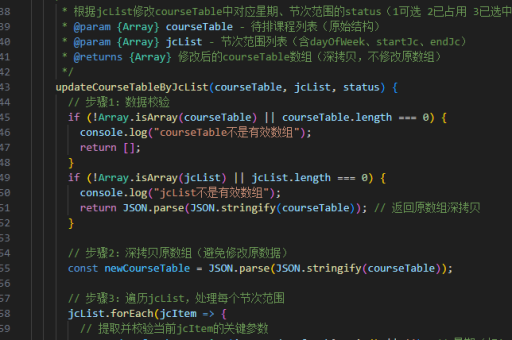
.scroll-container {
  width: 300px;
  height: 150px;
  background: linear-gradient(to right, #f5e8c0 0%, #e8d9a5 100%);
  border: 10px solid #d4b36a;
  border-radius: 5px;
  box-shadow: 0 0 15px rgba(0,0,0,0.3);
  position: relative;
  overflow: hidden;
}

.scroll-container::before,
.scroll-container::after {
  content: "";
  position: absolute;
  width: 20px;
  height: 100%;
  background: #d4b36a;
  top: 0;
}

.scroll-container::before {
  left: 0;
}

.scroll-container::after {
  right: 0;
}
动态展开效果 配合动画可以实现画卷展开的交互效果:
@keyframes unfold {
  from { width: 0; opacity: 0; }
  to { width: 300px; opacity: 1; }
}

.unfolding-scroll {
  animation: unfold 2s ease-out forwards;
  height: 200px;
  background: linear-gradient(to right, #f5e8c0, #e8d9a5);
  border-left: 15px solid #c2a25a;
  border-right: 15px solid #c2a25a;
  box-shadow: 0 5px 20px rgba(0,0,0,0.2);
}
高级纹理效果 添加纸张纹理增强真实感:

.textured-scroll {
  background:
    linear-gradient(to right, #f5e8c0, #e8d9a5),
    url('data:image/svg+xml;utf8,<svg xmlns="http://www.w3.org/2000/svg" width="100" height="100" viewBox="0 0 100 100"><rect width="100" height="100" fill="none" stroke="rgba(0,0,0,0.05)" stroke-width="1"/></svg>');
  background-blend-mode: overlay;
  border: 12px solid #c2a25a;
  border-image: linear-gradient(to bottom, #d4b36a, #b5924e) 1;
}
HTML结构示例
<div class="scroll-container">
  <div class="scroll-content">
    <!-- 画卷内容 -->
  </div>
</div>
关键实现要点:
- 使用渐变色模拟古旧纸张的质感
- 通过边框和伪元素创建卷轴两端的效果
- 添加阴影增强立体感
- 考虑使用SVG背景创建纸张纹理
- 动画控制展开过程
这些CSS技术可以组合使用,根据实际需要调整颜色、尺寸和动画参数,创造出不同风格的画卷效果。