vue 怎么实现tab
Vue 实现 Tab 切换的方法
使用动态组件和 v-if/v-show
通过 v-if 或 v-show 控制不同 Tab 内容的显示与隐藏。结合 v-for 渲染 Tab 标题,点击时切换当前激活的 Tab。

<template>
  <div>
    <div class="tabs">
      <button
        v-for="(tab, index) in tabs"
        :key="index"
        @click="currentTab = index"
        :class="{ active: currentTab === index }"
      >
        {{ tab.title }}
      </button>
    </div>
    <div class="content">
      <div v-if="currentTab === 0">内容1</div>
      <div v-if="currentTab === 1">内容2</div>
      <div v-if="currentTab === 2">内容3</div>
    </div>
  </div>
</template>

<script>
export default {
  data() {
    return {
      tabs: [
        { title: 'Tab 1' },
        { title: 'Tab 2' },
        { title: 'Tab 3' }
      ],
      currentTab: 0
    }
  }
}
</script>

<style>
.active {
  background-color: #42b983;
  color: white;
}
</style>
使用 Vue Router 实现路由级 Tab
通过 Vue Router 的嵌套路由或动态路由实现 Tab 切换,适合需要 URL 同步的场景。

// router.js
const routes = [
  {
    path: '/tabs',
    component: TabsContainer,
    children: [
      { path: 'tab1', component: Tab1 },
      { path: 'tab2', component: Tab2 },
      { path: '', redirect: 'tab1' } // 默认重定向
    ]
  }
]
<!-- TabsContainer.vue -->
<template>
<div>
<router-link to="/tabs/tab1">Tab 1</router-link>
<router-link to="/tabs/tab2">Tab 2</router-link>
<router-view></router-view>
</div>
</template>使用第三方组件库
主流 UI 库如 Element UI、Ant Design Vue 等提供现成的 Tab 组件,可直接调用。
<!-- 使用 Element UI -->
<template>
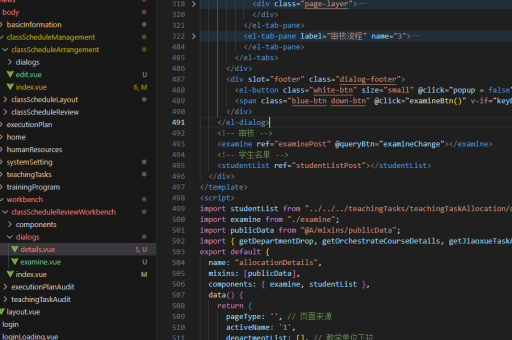
  <el-tabs v-model="activeTab">
    <el-tab-pane label="用户管理" name="user">用户内容</el-tab-pane>
    <el-tab-pane label="配置管理" name="config">配置内容</el-tab-pane>
  </el-tabs>
</template>

<script>
export default {
  data() {
    return {
      activeTab: 'user'
    }
  }
}
</script>
通过组件动态渲染
利用 <component :is> 动态渲染不同组件,适合 Tab 内容为独立组件的情况。
<template>
  <div>
    <button @click="currentComponent = 'ComponentA'">显示A</button>
    <button @click="currentComponent = 'ComponentB'">显示B</button>
    <component :is="currentComponent"></component>
  </div>
</template>

<script>
import ComponentA from './ComponentA.vue'
import ComponentB from './ComponentB.vue'

export default {
  components: { ComponentA, ComponentB },
  data() {
    return {
      currentComponent: 'ComponentA'
    }
  }
}
</script>
注意事项
- 性能考虑:频繁切换时建议用
v-show替代v-if,避免重复渲染。 - 状态保持:使用
<keep-alive>包裹 Tab 内容可保留组件状态。 - 响应式设计:通过 CSS 媒体查询适配移动端 Tab 样式。