vue发布动态功能实现
实现 Vue 动态发布功能
数据绑定与表单设计
使用 v-model 绑定表单数据,创建一个包含文本输入和图片上传的表单组件:
<template>
  <div>
    <textarea v-model="postContent" placeholder="分享你的想法..."></textarea>
    <input type="file" @change="handleImageUpload" accept="image/*">
    <button @click="submitPost">发布</button>
  </div>
</template>

<script>
export default {
  data() {
    return {
      postContent: '',
      selectedImage: null
    }
  }
}
</script>
图片处理逻辑
实现图片预览和上传前的处理:
methods: {
  handleImageUpload(event) {
    const file = event.target.files[0];
    this.selectedImage = file;

    // 创建预览
    const reader = new FileReader();
    reader.onload = (e) => {
      this.imagePreview = e.target.result;
    };
    reader.readAsDataURL(file);
  }
}
提交动态数据
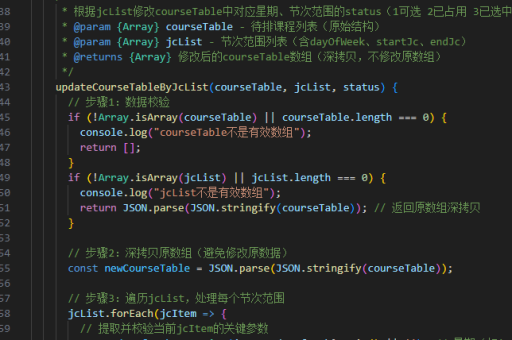
配置提交方法,包含表单验证和API请求:
methods: {
  async submitPost() {
    if (!this.postContent.trim()) return;

    const formData = new FormData();
    formData.append('content', this.postContent);
    if (this.selectedImage) {
      formData.append('image', this.selectedImage);
    }

    try {
      const response = await axios.post('/api/posts', formData, {
        headers: {
          'Content-Type': 'multipart/form-data'
        }
      });
      this.$emit('post-created', response.data);
      this.resetForm();
    } catch (error) {
      console.error('发布失败:', error);
    }
  },

  resetForm() {
    this.postContent = '';
    this.selectedImage = null;
    this.imagePreview = null;
  }
}
后端接口建议
Node.js Express 示例路由处理:
router.post('/posts', upload.single('image'), async (req, res) => {
  try {
    const { content } = req.body;
    const imageUrl = req.file ? `/uploads/${req.file.filename}` : null;

    const post = await Post.create({
      content,
      image: imageUrl,
      author: req.user.id
    });

    res.status(201).json(post);
  } catch (err) {
    res.status(500).json({ error: err.message });
  }
});
前端状态管理
使用 Vuex 管理动态列表状态:

const store = new Vuex.Store({
  state: {
    posts: []
  },
  mutations: {
    ADD_POST(state, post) {
      state.posts.unshift(post);
    }
  },
  actions: {
    async createPost({ commit }, postData) {
      const response = await postApi.create(postData);
      commit('ADD_POST', response.data);
    }
  }
});
实时更新优化
使用 WebSocket 或 Firebase 实现实时更新:
// 在组件中
mounted() {
  this.$socket.on('new-post', (post) => {
    this.$store.commit('ADD_POST', post);
  });
}
错误处理与反馈
添加用户操作反馈:
async submitPost() {
  this.isLoading = true;
  try {
    // ...提交逻辑
    this.$toast.success('发布成功');
  } catch (error) {
    this.$toast.error(error.response?.data?.message || '发布失败');
  } finally {
    this.isLoading = false;
  }
}
移动端优化
添加触摸事件支持和响应式布局:
<template>
  <div class="post-creator" @touchstart="handleTouchStart">
    <!-- 表单元素 -->
  </div>
</template>

<style scoped>
.post-creator {
  padding: 15px;
}
textarea {
  width: 100%;
  min-height: 100px;
}
</style>