uniapp 气泡
uniapp 气泡实现方法
在uniapp中实现气泡效果可以通过多种方式,以下是几种常见的方法:
使用CSS样式实现气泡 通过CSS的border-radius和伪元素可以创建简单的气泡效果。以下是一个示例代码:
<template>
  <view class="bubble">
    这是一个气泡
  </view>
</template>

<style>
.bubble {
  position: relative;
  padding: 10px 15px;
  background-color: #fff;
  border-radius: 10px;
  box-shadow: 0 2px 5px rgba(0,0,0,0.1);
}
.bubble::after {
  content: '';
  position: absolute;
  bottom: -10px;
  left: 20px;
  border-width: 10px 10px 0;
  border-style: solid;
  border-color: #fff transparent;
}
</style>
使用uni-popup组件 uniapp的官方扩展组件库中提供了uni-popup组件,可以快速实现气泡弹出效果:
<template>
  <view>
    <button @click="showPopup">显示气泡</button>
    <uni-popup ref="popup" type="dialog">
      <view class="popup-content">
        这是一个气泡弹窗
      </view>
    </uni-popup>
  </view>
</template>

<script>
export default {
  methods: {
    showPopup() {
      this.$refs.popup.open()
    }
  }
}
</script>
使用第三方UI库 如uView、ColorUI等第三方UI库提供了更丰富的气泡组件:
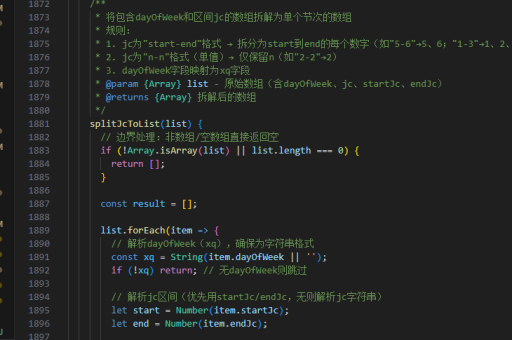
<template>
  <u-popup v-model="show" mode="bottom">
    <view class="popup-content">
      这是一个底部弹出的气泡
    </view>
  </u-popup>
</template>
气泡样式定制技巧
调整气泡箭头位置 通过修改伪元素的position属性可以改变气泡箭头的位置:
.bubble-top::after {
  top: -10px;
  left: 50%;
  transform: translateX(-50%);
  border-width: 0 10px 10px;
}
添加动画效果 使用CSS transition或animation为气泡添加出现/消失动画:
.bubble {
  transition: all 0.3s ease;
  opacity: 0;
  transform: translateY(10px);
}
.bubble.show {
  opacity: 1;
  transform: translateY(0);
}
响应式气泡大小 使用vw/vh单位或媒体查询确保气泡在不同设备上显示良好:

.bubble {
  max-width: 80vw;
  padding: 2vh 3vw;
}
气泡交互实现
点击外部关闭气泡 通过监听touch事件实现点击气泡外部关闭的功能:
methods: {
  handleTouchOutside(e) {
    if (!this.$refs.bubble.contains(e.target)) {
      this.closeBubble()
    }
  }
}
气泡自动消失 设置定时器让气泡自动消失:
showBubble() {
  this.show = true
  setTimeout(() => {
    this.show = false
  }, 3000)
}
气泡跟随元素 计算目标元素位置实现气泡跟随效果:
getElementPosition() {
  const query = uni.createSelectorQuery().in(this)
  query.select('#target').boundingClientRect(data => {
    this.bubblePosition = {
      top: data.top + 'px',
      left: data.left + 'px'
    }
  }).exec()
}
以上方法可以根据具体需求组合使用,实现各种复杂的气泡效果。对于更高级的需求,可以考虑使用WebGL或Canvas绘制自定义形状的气泡。