
js实现宇宙
在JavaScript中实现宇宙模拟或视觉效果,可以通过以下方法实现,涵盖基础粒子系统、物理模拟及3D渲染等技术:

粒子系统模拟宇宙星空
使用Canvas或WebGL创建随机分布的粒子(星星),通过动画循环实现动态效果:
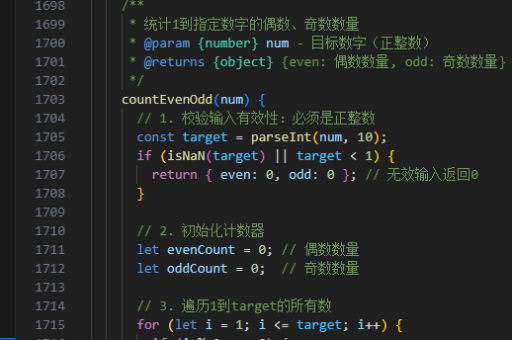
const canvas = document.getElementById('universe');
const ctx = canvas.getContext('2d');
canvas.width = window.innerWidth;
canvas.height = window.innerHeight;

class Star {
  constructor() {
    this.x = Math.random() * canvas.width;
    this.y = Math.random() * canvas.height;
    this.size = Math.random() * 1.5;
    this.speed = Math.random() * 0.2;
  }
  update() {
    this.y += this.speed;
    if (this.y > canvas.height) {
      this.y = 0;
      this.x = Math.random() * canvas.width;
    }
  }
  draw() {
    ctx.fillStyle = 'white';
    ctx.beginPath();
    ctx.arc(this.x, this.y, this.size, 0, Math.PI * 2);
    ctx.fill();
  }
}

const stars = Array(200).fill().map(() => new Star());

function animate() {
  ctx.fillStyle = 'rgba(0, 0, 0, 0.1)';
  ctx.fillRect(0, 0, canvas.width, canvas.height);
  stars.forEach(star => {
    star.update();
    star.draw();
  });
  requestAnimationFrame(animate);
}
animate();
使用Three.js创建3D宇宙
通过Three.js构建包含行星、恒星和星系的3D场景:
import * as THREE from 'three';

const scene = new THREE.Scene();
const camera = new THREE.PerspectiveCamera(75, window.innerWidth / window.innerHeight, 0.1, 1000);
const renderer = new THREE.WebGLRenderer();
renderer.setSize(window.innerWidth, window.innerHeight);
document.body.appendChild(renderer.domElement);

// 创建恒星
const starGeometry = new THREE.SphereGeometry(1, 32, 32);
const starMaterial = new THREE.MeshBasicMaterial({ color: 0xffff00 });
const star = new THREE.Mesh(starGeometry, starMaterial);
scene.add(star);

// 添加行星
const planetGeometry = new THREE.SphereGeometry(0.5, 32, 32);
const planetMaterial = new THREE.MeshBasicMaterial({ color: 0x00ff00 });
const planet = new THREE.Mesh(planetGeometry, planetMaterial);
planet.position.x = 3;
scene.add(planet);

camera.position.z = 5;

function animate() {
  requestAnimationFrame(animate);
  planet.rotation.y += 0.01;
  renderer.render(scene, camera);
}
animate();
物理引擎模拟天体运动
使用matter.js或cannon.js模拟引力与轨道:
const Engine = Matter.Engine,
      Render = Matter.Render,
      Bodies = Matter.Bodies,
      Composite = Matter.Composite;

const engine = Engine.create();
const render = Render.create({
  element: document.body,
  engine: engine,
  options: { width: 800, height: 600, wireframes: false }
});

// 创建恒星(中心静止)
const sun = Bodies.circle(400, 300, 50, {
  isStatic: true,
  render: { fillStyle: 'yellow' }
});

// 创建行星(受引力影响)
const planet = Bodies.circle(600, 300, 20, {
  velocity: { x: 0, y: -5 },
  render: { fillStyle: 'blue' }
});

Composite.add(engine.world, [sun, planet]);
Engine.run(engine);
Render.run(render);
进阶实现建议
- 数据驱动:使用天文API(如NASA API)加载真实星体数据
- 着色器特效:通过GLSL实现星云、黑洞等视觉效果
- VR集成:结合A-Frame框架支持VR设备浏览
以上方法可根据需求组合使用,从简单2D效果到复杂3D模拟均可实现。性能优化时需注意粒子数量控制和渲染层级管理。





