
人脸js实现
人脸识别实现方法
使用JavaScript实现人脸识别通常需要借助现成的库或API。以下是几种常见的实现方式:
使用TensorFlow.js
TensorFlow.js是一个开源的机器学习库,可以在浏览器中运行。结合预训练的人脸检测模型,可以实现基本的人脸识别功能。
安装TensorFlow.js和人脸检测模型:
npm install @tensorflow/tfjs @tensorflow-models/face-landmarks-detection示例代码:
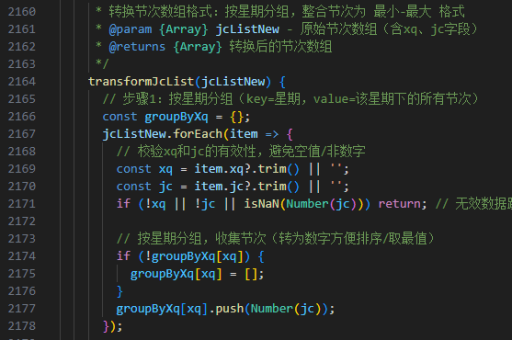
import * as faceLandmarksDetection from '@tensorflow-models/face-landmarks-detection';
import * as tf from '@tensorflow/tfjs-core';

async function detectFaces() {
  await tf.ready();
  const model = await faceLandmarksDetection.load(
    faceLandmarksDetection.SupportedPackages.mediapipeFacemesh
  );

  const video = document.getElementById('video');
  const faces = await model.estimateFaces({input: video});

  faces.forEach(face => {
    // 处理检测到的人脸
    console.log(face);
  });
}
使用Face-api.js
Face-api.js是一个基于TensorFlow.js的JavaScript人脸识别库,提供了完整的人脸检测、识别和特征点检测功能。
安装:
npm install face-api.js示例代码:

import * as faceapi from 'face-api.js';

async function loadModels() {
  await faceapi.nets.tinyFaceDetector.loadFromUri('/models');
  await faceapi.nets.faceLandmark68Net.loadFromUri('/models');
}

async function detectFaces() {
  const input = document.getElementById('inputImage');
  const detections = await faceapi.detectAllFaces(input,
    new faceapi.TinyFaceDetectorOptions()).withFaceLandmarks();

  // 在画布上绘制检测结果
  const canvas = document.getElementById('canvas');
  faceapi.matchDimensions(canvas, input);
  faceapi.draw.drawDetections(canvas, detections);
  faceapi.draw.drawFaceLandmarks(canvas, detections);
}
使用WebRTC和Canvas
对于简单的人脸检测,可以结合WebRTC获取摄像头视频流,使用Canvas处理图像:
navigator.mediaDevices.getUserMedia({ video: true })
  .then(stream => {
    const video = document.getElementById('video');
    video.srcObject = stream;

    const canvas = document.getElementById('canvas');
    const ctx = canvas.getContext('2d');

    function processFrame() {
      ctx.drawImage(video, 0, 0, canvas.width, canvas.height);
      const imageData = ctx.getImageData(0, 0, canvas.width, canvas.height);
      // 这里可以添加人脸检测算法
      requestAnimationFrame(processFrame);
    }
    processFrame();
  });
使用第三方API
许多云服务提供商提供人脸识别API,如AWS Rekognition、Azure Face API等:
// 示例:使用AWS Rekognition
const AWS = require('aws-sdk');
const rekognition = new AWS.Rekognition();

const params = {
  Image: {
    Bytes: imageBuffer
  },
  Attributes: ['ALL']
};

rekognition.detectFaces(params, (err, data) => {
  if (err) console.log(err);
  else console.log(data.FaceDetails);
});
性能优化建议
对于实时人脸检测应用,应考虑以下优化措施:
- 降低检测频率,如每200-300毫秒检测一次
- 缩小处理图像的分辨率
- 使用Web Workers进行后台处理
- 选择适合的检测模型(轻量级模型如TinyFaceDetector)
以上方法可以根据具体需求选择,从简单的特征检测到完整的人脸识别系统都可以实现。





