css油画制作
CSS油画制作方法
CSS油画制作是一种利用CSS技术模拟油画效果的创意方法。以下是几种常见的实现方式:
使用CSS滤镜
通过filter属性可以模拟油画效果。例如:
.painting {
  filter: blur(1px) contrast(1.5) saturate(1.2);
}
这组滤镜组合会创建柔和的边缘和增强的色彩对比,模仿油画的笔触感。
CSS混合模式
mix-blend-mode属性可以帮助创建颜料混合效果:
.layer {
  mix-blend-mode: multiply;
  opacity: 0.8;
}
纹理叠加 通过伪元素添加画布纹理:
.canvas::before {
  content: "";
  background: url('canvas-texture.jpg');
  mix-blend-mode: overlay;
  opacity: 0.3;
}
动画效果 CSS动画可以模拟绘画过程:
@keyframes paint {
  from { clip-path: polygon(0 0, 0 0, 0 0); }
  to { clip-path: polygon(0 0, 100% 0, 100% 100%); }
}
.brush-stroke {
  animation: paint 3s ease-in-out forwards;
}
实际应用示例
以下是完整的CSS油画效果实现示例:
<style>
  .oil-painting {
    width: 500px;
    height: 400px;
    position: relative;
    background: #f5e7c8;
    overflow: hidden;
  }

  .brush {
    position: absolute;
    background: #8b4513;
    border-radius: 50%;
    filter: blur(2px);
    mix-blend-mode: multiply;
  }

  .highlight {
    background: #ffeb3b;
    mix-blend-mode: screen;
    opacity: 0.7;
  }
</style>

<div class="oil-painting">
  <div class="brush" style="top:100px; left:150px; width:80px; height:60px;"></div>
  <div class="brush highlight" style="top:90px; left:160px; width:30px; height:20px;"></div>
</div>
进阶技巧
使用CSS变量控制效果 定义可调节的参数:
:root {
  --blur: 2px;
  --contrast: 1.4;
}

.painting {
  filter: blur(var(--blur)) contrast(var(--contrast));
}
SVG与CSS结合 通过SVG滤镜增强效果:
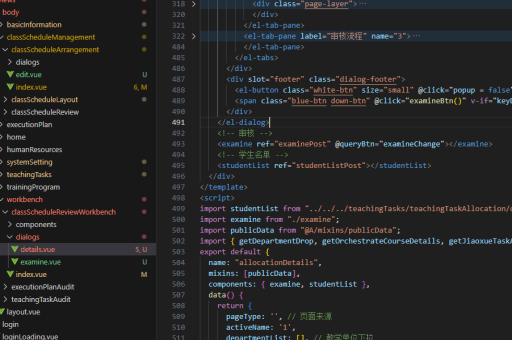
<svg>
  <filter id="oil">
    <feGaussianBlur stdDeviation="1" />
    <feColorMatrix type="matrix" values="..."/>
  </filter>
</svg>
这些方法可以组合使用,根据具体需求调整参数,创造出不同风格的CSS油画效果。实践时建议从简单效果开始,逐步增加复杂度。