react实现全局路由守卫
全局路由守卫的实现方法
在React中实现全局路由守卫通常需要结合路由库(如React Router)和状态管理工具。以下是几种常见的方法:
使用React Router的Navigate组件
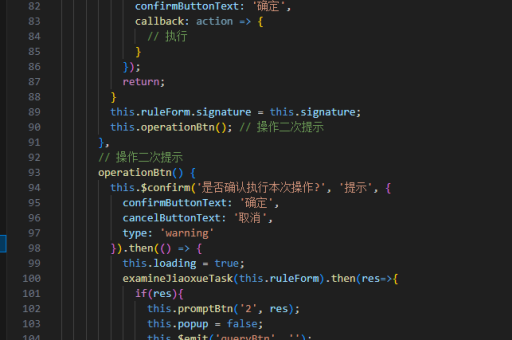
通过包装路由组件并在渲染前进行权限检查:
import { Navigate, useLocation } from 'react-router-dom';

const PrivateRoute = ({ children }) => {
  const isAuthenticated = checkAuth(); // 自定义认证逻辑
  const location = useLocation();

  return isAuthenticated
    ? children
    : <Navigate to="/login" state={{ from: location }} replace />;
};

// 使用方式
<Route path="/protected" element={
  <PrivateRoute>
    <ProtectedPage />
  </PrivateRoute>
} />
使用React Router v6的loader函数
在数据加载阶段进行拦截:
const router = createBrowserRouter([
  {
    path: '/',
    element: <Root />,
    loader: () => {
      if (!isLoggedIn()) {
        throw redirect('/login');
      }
      return null;
    }
  }
]);
自定义高阶组件(HOC)
创建可重用的路由守卫组件:

function withRouterGuard(WrappedComponent, checkFn) {
  return (props) => {
    const navigate = useNavigate();
    useEffect(() => {
      if (!checkFn()) {
        navigate('/fallback');
      }
    }, [navigate]);

    return <WrappedComponent {...props} />;
  };
}
使用上下文和自定义钩子
结合Context API实现全局状态管理:
const AuthContext = createContext();

const useAuth = () => {
  const { pathname } = useLocation();
  const { user } = useContext(AuthContext);

  useEffect(() => {
    if (!user && !['/login', '/register'].includes(pathname)) {
      window.location.href = '/login';
    }
  }, [pathname, user]);
};
路由配置集中管理
通过统一的路由配置文件实现守卫:
const routes = [
  {
    path: '/admin',
    component: AdminPage,
    guards: [authGuard, roleGuard('admin')]
  }
];

const resolvedRoutes = routes.map(route => ({
  ...route,
  element: route.guards.reduce(
    (acc, guard) => guard(acc),
    <route.component />
  )
}));
注意事项
- 守卫逻辑应避免阻塞渲染过程
- 需要处理路由跳转时的状态保存
- 对于异步验证(如JWT校验)需添加加载状态
- 服务端渲染场景需考虑SSR兼容性
以上方法可根据具体需求组合使用,React Router v6推荐使用loader方案或Navigate组件实现路由守卫。