react-native 阴影实现
在 React Native 中实现阴影
React Native 中实现阴影可以通过多种方式,包括使用内置的 shadow 样式属性或第三方库。以下是常见的实现方法:
使用内置样式属性(仅 iOS)
在 iOS 平台上,React Native 提供了 shadow 相关的样式属性:
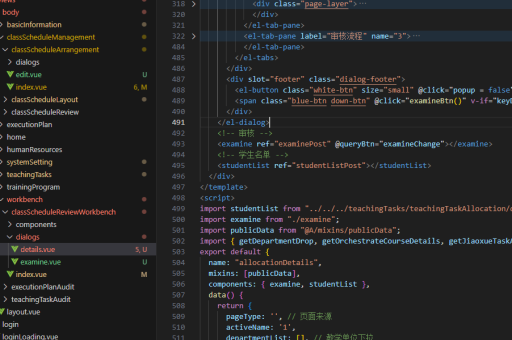
const styles = StyleSheet.create({
  shadowBox: {
    width: 100,
    height: 100,
    backgroundColor: 'white',
    shadowColor: '#000',
    shadowOffset: { width: 0, height: 2 },
    shadowOpacity: 0.25,
    shadowRadius: 3.84,
  }
});shadowColor: 阴影颜色shadowOffset: 阴影偏移量shadowOpacity: 阴影透明度(0-1)shadowRadius: 阴影模糊半径
使用 elevation 属性(仅 Android)
Android 平台使用 elevation 属性来模拟阴影效果:
const styles = StyleSheet.create({
  shadowBox: {
    width: 100,
    height: 100,
    backgroundColor: 'white',
    elevation: 5,
  }
});
跨平台解决方案
对于需要跨平台的阴影效果,可以结合使用 elevation 和 shadow 属性:

const styles = StyleSheet.create({
  shadowBox: {
    width: 100,
    height: 100,
    backgroundColor: 'white',
    ...Platform.select({
      ios: {
        shadowColor: '#000',
        shadowOffset: { width: 0, height: 2 },
        shadowOpacity: 0.25,
        shadowRadius: 3.84,
      },
      android: {
        elevation: 5,
      },
    }),
  }
});
使用第三方库
如果需要更复杂的阴影效果,可以考虑使用第三方库如 react-native-shadow 或 react-native-shadow-2:
import { Shadow } from 'react-native-shadow-2';

function ShadowComponent() {
  return (
    <Shadow distance={5} startColor="#00000010" endColor="#00000000">
      <View style={{ width: 100, height: 100, backgroundColor: 'white' }} />
    </Shadow>
  );
}
自定义阴影组件
也可以创建自定义的阴影组件,通过绝对定位的视图来模拟阴影:
function CustomShadow({ children, shadowColor = '#000', shadowOpacity = 0.2, shadowRadius = 5, shadowOffset = { width: 0, height: 2 } }) {
  return (
    <View>
      <View
        style={{
          position: 'absolute',
          backgroundColor: shadowColor,
          opacity: shadowOpacity,
          borderRadius: shadowRadius,
          top: shadowOffset.height,
          left: shadowOffset.width,
          right: -shadowOffset.width,
          bottom: -shadowOffset.height,
          zIndex: -1,
        }}
      />
      {children}
    </View>
  );
}
注意事项
- iOS 的
shadow属性和 Android 的elevation属性视觉效果不同 - 阴影效果在 Android 上可能不如 iOS 明显
- 对于复杂形状的阴影,可能需要使用第三方库或自定义解决方案
- 阴影性能在不同设备上可能有差异,特别是在大量使用的情况下