vue 实现 input focus
实现 Input Focus 的方法
在 Vue 中实现 input 元素的聚焦可以通过以下几种方式完成。
使用 ref 和 $refs
通过 ref 属性标记 input 元素,然后在 Vue 实例或组件中调用 focus() 方法。

<template>
  <input ref="inputRef" type="text" />
  <button @click="focusInput">Focus Input</button>
</template>

<script>
export default {
  methods: {
    focusInput() {
      this.$refs.inputRef.focus();
    },
  },
};
</script>
使用 v-model 和 mounted 钩子
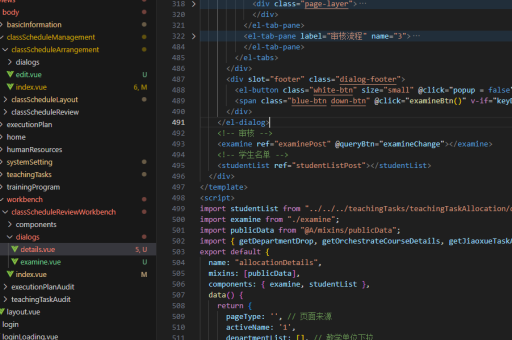
在组件挂载时自动聚焦 input 元素,适用于页面加载时需要自动聚焦的场景。
<template>
  <input v-model="inputValue" ref="inputRef" type="text" />
</template>

<script>
export default {
  data() {
    return {
      inputValue: "",
    };
  },
  mounted() {
    this.$refs.inputRef.focus();
  },
};
</script>
使用自定义指令
通过自定义指令实现更灵活的聚焦逻辑,适合复用或复杂场景。
<template>
  <input v-focus type="text" />
</template>

<script>
export default {
  directives: {
    focus: {
      inserted(el) {
        el.focus();
      },
    },
  },
};
</script>
使用 Vue 3 的 Composition API
在 Vue 3 中,可以通过 ref 和 onMounted 实现聚焦功能。
<template>
  <input ref="inputRef" type="text" />
  <button @click="focusInput">Focus Input</button>
</template>

<script>
import { ref, onMounted } from "vue";

export default {
  setup() {
    const inputRef = ref(null);

    const focusInput = () => {
      inputRef.value.focus();
    };

    onMounted(() => {
      inputRef.value.focus();
    });

    return {
      inputRef,
      focusInput,
    };
  },
};
</script>
注意事项
- 确保
input元素已经渲染完成后再调用focus(),否则可能无法生效。 - 在 Vue 3 中,
ref需要通过.value访问 DOM 元素。 - 自定义指令适用于需要复用的场景,但需注意指令的生命周期钩子。
以上方法均能有效实现 input 元素的聚焦功能,可根据具体需求选择合适的方式。