react如何计算文字宽度
计算文字宽度的方法
在React中计算文字宽度可以通过以下几种方式实现,具体选择取决于应用场景和需求。
使用Canvas测量文字宽度
通过Canvas的measureText方法可以精确测量文字的宽度。创建一个隐藏的Canvas元素,获取其2D上下文后调用该方法。
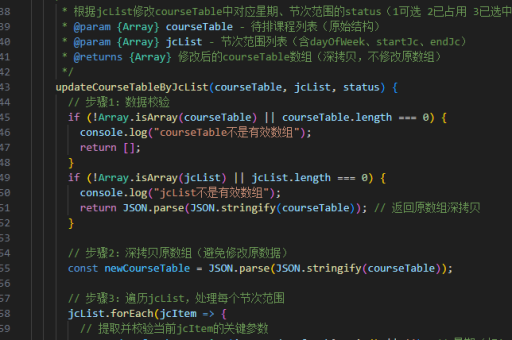
const getTextWidth = (text, font) => {
  const canvas = document.createElement('canvas');
  const context = canvas.getContext('2d');
  context.font = font || getComputedStyle(document.body).font;
  return context.measureText(text).width;
};

// 使用示例
const width = getTextWidth('Hello World', '16px Arial');
使用DOM元素测量
创建一个临时的DOM元素(如span),设置样式后插入文档,通过offsetWidth获取宽度。测量完成后移除该元素。

const getTextWidth = (text, font) => {
  const span = document.createElement('span');
  span.style.visibility = 'hidden';
  span.style.whiteSpace = 'nowrap';
  span.style.font = font || getComputedStyle(document.body).font;
  span.textContent = text;
  document.body.appendChild(span);
  const width = span.offsetWidth;
  document.body.removeChild(span);
  return width;
};
使用React的useRef钩子
结合useRef和useEffect钩子,在组件渲染后测量实际DOM元素的宽度。
import React, { useRef, useEffect, useState } from 'react';

function TextWidthMeasurer({ text }) {
  const ref = useRef(null);
  const [width, setWidth] = useState(0);

  useEffect(() => {
    if (ref.current) {
      setWidth(ref.current.offsetWidth);
    }
  }, [text]);

  return (
    <div ref={ref} style={{ display: 'inline-block', whiteSpace: 'nowrap' }}>
      {text}
    </div>
  );
}
使用第三方库
库如react-text-width或text-metrics提供封装好的测量功能,适合复杂场景。
import { measureText } from 'text-metrics';

const width = measureText('Hello World', { font: '16px Arial' });
注意事项
- 字体样式(如
font-family、font-size)必须与最终渲染一致,否则测量结果不准确。 - 测量操作可能触发浏览器重排(Reflow),频繁调用时需考虑性能优化。
- 对于动态内容,需在内容更新后重新测量(如使用
useEffect监听变化)。