vue分页组件实现流程
vue分页组件实现流程
分页组件的基本结构
创建一个独立的Pagination.vue文件,定义分页器所需的props(如当前页、总页数等),通过v-model或事件实现父子组件通信。结构通常包含页码按钮、上一页/下一页按钮和跳转输入框。
<template>
  <div class="pagination">
    <button @click="handlePrev" :disabled="currentPage <= 1">上一页</button>
    <span v-for="page in pages" :key="page"
          @click="handlePageChange(page)"
          :class="{ active: page === currentPage }">
      {{ page }}
    </span>
    <button @click="handleNext" :disabled="currentPage >= totalPage">下一页</button>
    <input type="number" v-model="inputPage" @keyup.enter="handleJump" />
  </div>
</template>
核心逻辑实现
通过计算属性动态生成页码数组,处理边界情况(如总页数过多时显示省略号)。使用Math.min和Math.max限制页码范围,避免非法值。

props: {
  currentPage: { type: Number, default: 1 },
  totalPage: { type: Number, required: true },
  maxVisible: { type: Number, default: 5 } // 最大可见页码数
},
computed: {
  pages() {
    const range = [];
    const start = Math.max(1, this.currentPage - Math.floor(this.maxVisible / 2));
    const end = Math.min(this.totalPage, start + this.maxVisible - 1);

    for (let i = start; i <= end; i++) {
      range.push(i);
    }
    return range;
  }
}
事件处理与通信
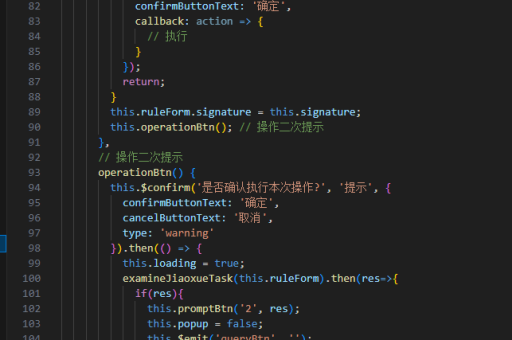
通过$emit触发page-change事件,父组件监听该事件并更新数据。跳转功能需验证输入值是否合法。
methods: {
  handlePageChange(page) {
    if (page !== this.currentPage) {
      this.$emit('update:currentPage', page);
    }
  },
  handleJump() {
    const page = parseInt(this.inputPage);
    if (page >= 1 && page <= this.totalPage) {
      this.handlePageChange(page);
    }
  }
}
样式与交互优化
添加CSS样式美化分页器,如激活状态高亮、禁用按钮透明度等。可增加过渡动画提升用户体验。
.pagination button, .pagination span {
  margin: 0 5px;
  cursor: pointer;
}
.pagination .active {
  color: red;
  font-weight: bold;
}
.pagination button:disabled {
  opacity: 0.5;
  cursor: not-allowed;
}
使用示例
父组件引入分页器,传递总页数和当前页,监听页码变化事件。
<template>
  <Pagination
    v-model:currentPage="current"
    :totalPage="10"
    @page-change="fetchData" />
</template>

<script>
export default {
  data() {
    return { current: 1 };
  },
  methods: {
    fetchData(page) {
      console.log('加载第', page, '页数据');
    }
  }
}
</script>