vue 实现分页
实现分页的基本思路
在Vue中实现分页通常需要结合后端API返回的数据和前端的分页组件。分页的核心逻辑包括计算总页数、处理当前页码变化以及触发数据请求。
分页组件示例
使用Element UI的分页组件可以快速实现分页功能。以下是一个基础示例:

<template>
  <div>
    <el-pagination
      @size-change="handleSizeChange"
      @current-change="handleCurrentChange"
      :current-page="currentPage"
      :page-sizes="[10, 20, 30, 50]"
      :page-size="pageSize"
      layout="total, sizes, prev, pager, next, jumper"
      :total="total">
    </el-pagination>
  </div>
</template>

<script>
export default {
  data() {
    return {
      currentPage: 1,
      pageSize: 10,
      total: 0
    }
  },
  methods: {
    handleSizeChange(val) {
      this.pageSize = val
      this.fetchData()
    },
    handleCurrentChange(val) {
      this.currentPage = val
      this.fetchData()
    },
    fetchData() {
      // 调用API获取数据,传递currentPage和pageSize参数
      // 示例:this.$http.get('/api/data', { params: { page: this.currentPage, size: this.pageSize } })
    }
  }
}
</script>
自定义分页逻辑
如果不使用UI库,可以手动实现分页组件:
<template>
  <div>
    <button @click="prevPage" :disabled="currentPage === 1">上一页</button>
    <span>{{ currentPage }} / {{ totalPages }}</span>
    <button @click="nextPage" :disabled="currentPage === totalPages">下一页</button>
  </div>
</template>

<script>
export default {
  props: {
    totalItems: Number,
    itemsPerPage: Number
  },
  data() {
    return {
      currentPage: 1
    }
  },
  computed: {
    totalPages() {
      return Math.ceil(this.totalItems / this.itemsPerPage)
    }
  },
  methods: {
    prevPage() {
      if (this.currentPage > 1) {
        this.currentPage--
        this.$emit('page-changed', this.currentPage)
      }
    },
    nextPage() {
      if (this.currentPage < this.totalPages) {
        this.currentPage++
        this.$emit('page-changed', this.currentPage)
      }
    }
  }
}
</script>
数据分页处理
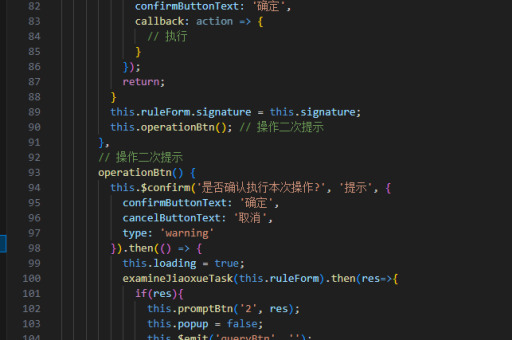
对于前端分页(数据已全部加载到前端),可以使用数组的slice方法:
computed: {
  paginatedData() {
    const start = (this.currentPage - 1) * this.itemsPerPage
    const end = start + this.itemsPerPage
    return this.allData.slice(start, end)
  }
}
分页与路由结合
将分页状态保存在URL中,便于分享和刷新:
watch: {
  '$route.query.page'(newPage) {
    this.currentPage = Number(newPage) || 1
    this.fetchData()
  }
},
methods: {
  changePage(page) {
    this.$router.push({ query: { ...this.$route.query, page } })
  }
}
性能优化建议
对于大数据量分页,建议使用后端分页而非前端分页。只请求当前页所需数据,减少网络传输量和前端内存占用。
分页组件应添加加载状态指示,在数据请求期间禁用分页按钮防止重复请求。